# Severity Levels

Akto classifies API security vulnerabilities into four severity levels to help teams prioritize their remediation efforts. Each level indicates the potential impact on your API security posture and guides response timing.

## Different Severity Levels

<table><thead><tr><th width="156.76953125">Severity Level</th><th width="253.87890625">Description</th><th>Risk &#x26; Action Required</th></tr></thead><tbody><tr><td><strong>Critical</strong></td><td>Issues that pose an immediate risk to API security.</td><td>Can lead to unauthorised data access, system compromise, or service disruption. <strong>Immediate remediation is essential.</strong></td></tr><tr><td><strong>High</strong></td><td>Significant API security risks requiring prompt attention.</td><td>Not as immediately dangerous as Critical issues, but can severely impact API integrity and data security if exploited.</td></tr><tr><td><strong>Medium</strong></td><td>Moderate risks affecting specific API endpoints or security controls.</td><td>Should be remediated in a planned manner within standard development cycles.</td></tr><tr><td><strong>Low</strong></td><td>Minor API security concerns.</td><td>Do not pose immediate threats but represent opportunities to improve security during regular maintenance.</td></tr></tbody></table>

## Update Severity for a Test Result

You can also update the severity of findings generated by a specific security test run.

### **Steps**

{% stepper %}
{% step %}
Navigate to **API Security Testing** → **Results**.
{% endstep %}

{% step %}
Open the preferred test run.
{% endstep %}

{% step %}
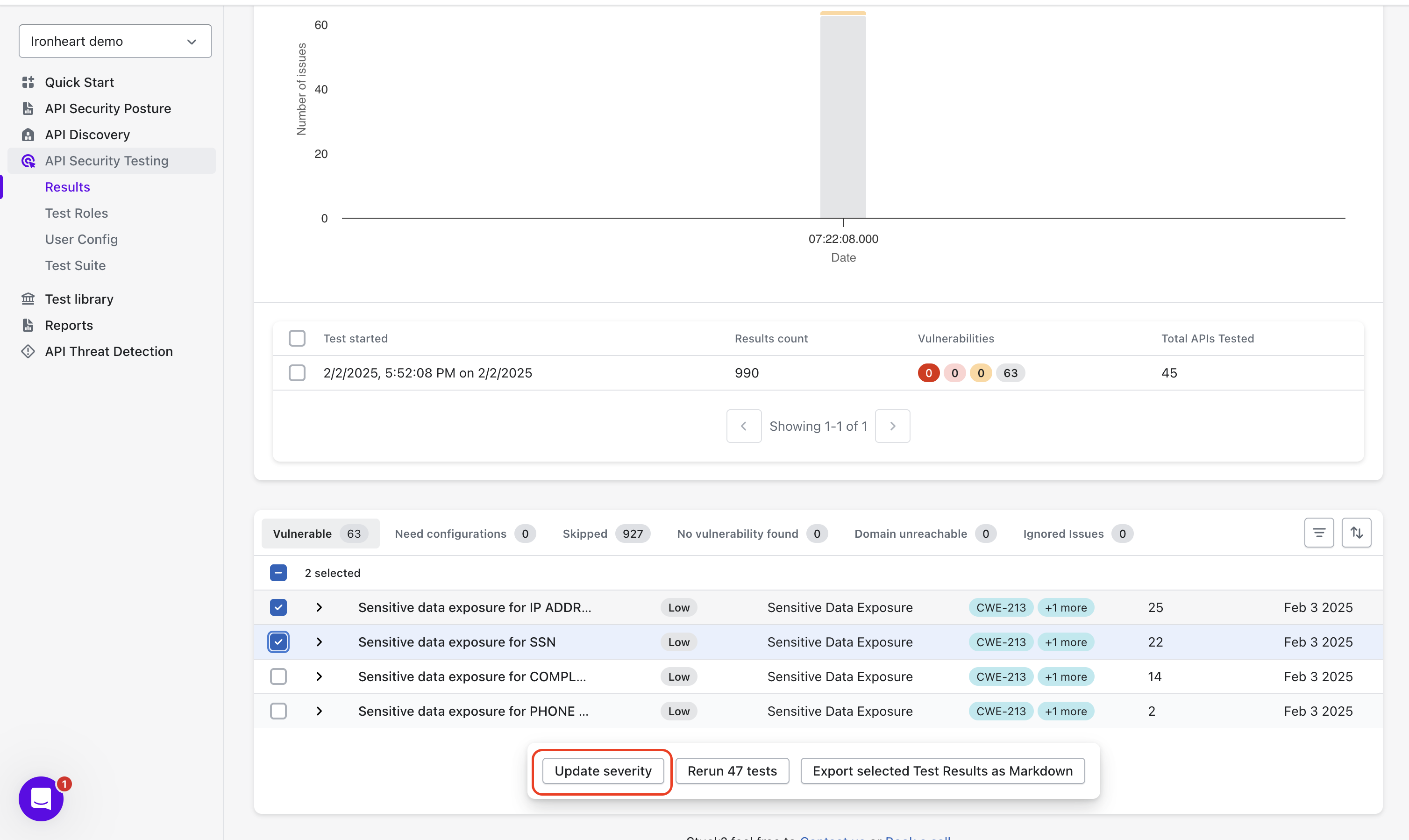
Select one or more tests whose severity you want to update.
{% endstep %}

{% step %}
Once selected, the **Update Severity** option appears at the bottom center of the screen.

<figure><img src="/files/Fdcrj4tZpAbtNcGKT8oj" alt="" width="563"><figcaption></figcaption></figure>
{% endstep %}

{% step %}
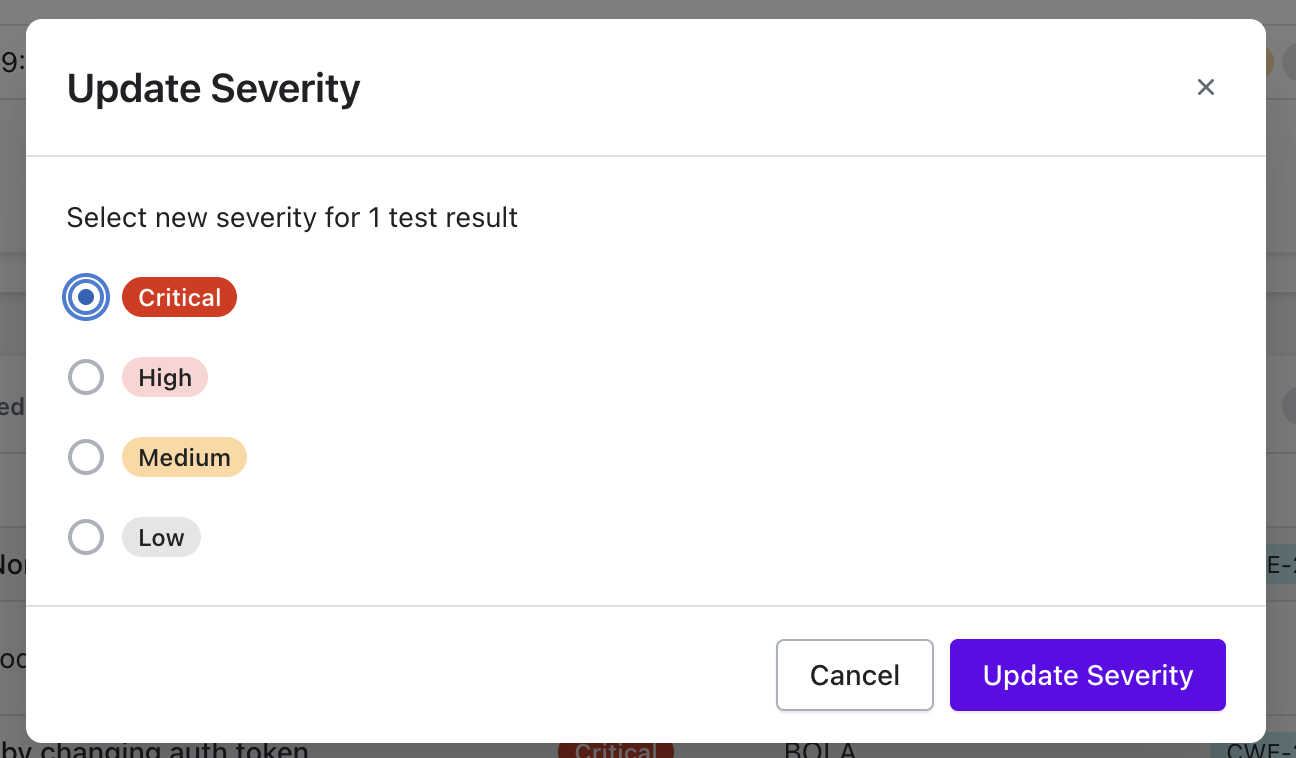
Choose the updated severity level.

<figure><img src="/files/Fhzqdr7r5NiiegZshbf7" alt="" width="563"><figcaption></figcaption></figure>
{% endstep %}

{% step %}
Click **Update Severity** to save.
{% endstep %}
{% endstepper %}

{% hint style="warning" %}
**Note:** After a test’s severity is updated, all future results generated from that test will automatically be marked with the newly assigned severity.
{% endhint %}


---

# Agent Instructions: Querying This Documentation

If you need additional information that is not directly available in this page, you can query the documentation dynamically by asking a question.

Perform an HTTP GET request on the current page URL with the `ask` query parameter:

```
GET https://docs.akto.io/api-security-testing/concepts/severity-levels.md?ask=<question>
```

The question should be specific, self-contained, and written in natural language.
The response will contain a direct answer to the question and relevant excerpts and sources from the documentation.

Use this mechanism when the answer is not explicitly present in the current page, you need clarification or additional context, or you want to retrieve related documentation sections.