> For the complete documentation index, see [llms.txt](https://docs.akto.io/llms.txt). Markdown versions of documentation pages are available by appending `.md` to page URLs; this page is available as [Markdown](https://docs.akto.io/dast/akto-dast.md).
# Getting Started with Akto DAST
Akto DAST (Dynamic Application Security Testing) allows you to automatically scan and collect API endpoints and traffic data directly from your machine. This enables effective security testing without traffic mirroring or cloud agent setup.
## Crawling Private Services
If you need to crawl private/internal services that are not publicly accessible, deploy the on-premise DAST module with additional infrastructure components.
See [Getting Started with Akto DAST (On-Premise)](/dast/akto-dast-on-premise.md) for the complete setup guide.
***
## **Steps to Start**
To start a DAST crawl for your application, follow the steps below:
{% stepper %}
{% step %}
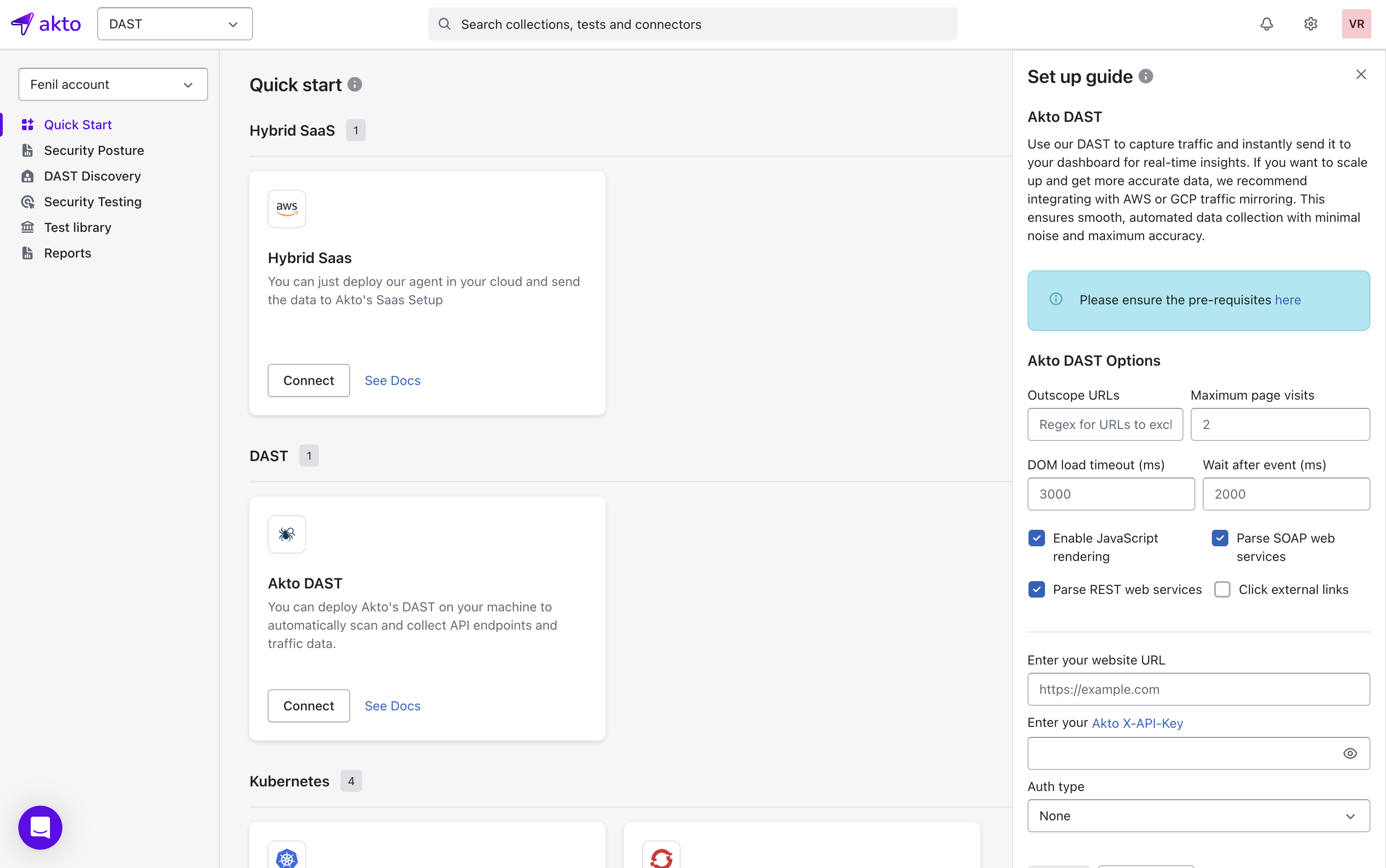
Open the DAST section from the top-left product selector in your Akto account.
{% endstep %}
{% step %}
In the left sidebar, select Quick Start under the DAST feature.
{% endstep %}
{% step %}
In the Akto DAST card, select Connect to open the configuration form.
{% endstep %}
{% step %}
Configure your crawl settings using the available DAST options:
Options Available
| Option | Description |
| -------------------------------- | ----------------------------------------------------------------------------------------------------------------------------- |
| **Out-of-Scope URLs** | List of URLs the crawler must not visit. For example: adding `/admin/*` prevents crawling admin pages. |
| **Maximum Page Visits** | Limits how many pages the crawler explores. For example: setting *200* restricts the crawl to the first 200 discovered pages. |
| **DOM Load Timeout (ms)** | Maximum wait time for a page’s DOM to load before moving on. For example: *3000 ms* waits up to 3 seconds. |
| **Wait Time After Timeout (ms)** | Additional wait time after DOM timeout before the crawler proceeds. For example: *1000 ms* adds a 1-second buffer. |
| **Enable JavaScript Rendering** | Allows the crawler to load and execute JavaScript content. Useful for SPAs like React or Vue apps. |
| **Parse SOAP Web Services** | Enables the crawler to detect and process SOAP endpoints. |
| **Parse REST Web Services** | Enables the crawler to identify REST API patterns, such as `/v1/users`. |
| **Click External Link** | Allows the crawler to follow links that point outside the primary hostname. Helpful on apps that redirect to subdomains. |
{% hint style="success" %}
All configuration fields are optional. You can proceed without modifying them.
{% endhint %}
{% endstep %}
{% step %}
Enter your Website URL and Akto-X-API-Key.
{% endstep %}
{% step %}
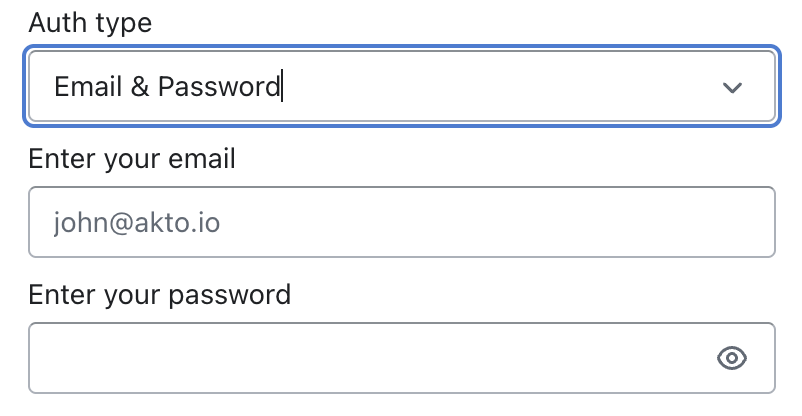
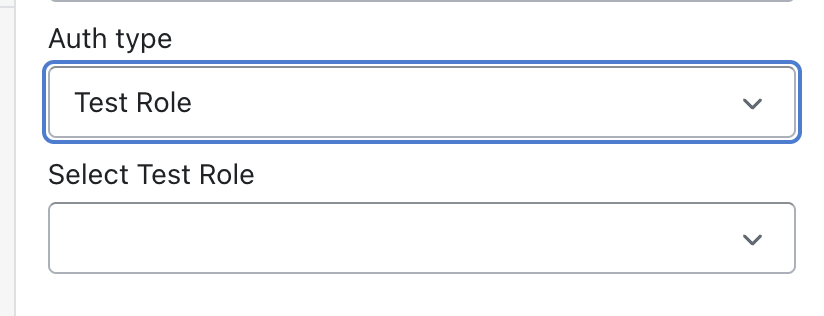
Select either of the Authentication Type:
* **None**
* **Email & Password** (enter your credentials when selected)
* **Test Role** that matches your expected access level.
{% endstep %}
{% step %}
Select Crawl to begin the capturing traffic and discovering APIs.
{% endstep %}
{% endstepper %}
## After Crawling
Akto begins exploring your application based on the configurations you provided and discovers all reachable APIs for further testing. Once the crawl is complete:
* A new **Collection** will be created based on your domain name.\
For example, if your website is `https://app.akto.io`, a collection named **`app.akto.io`** will be created.
* If a collection with that domain name already exists, the new data will be **merged** into the existing collection instead of creating a duplicate.
You can view and manage this collection under the **API Discovery > Collections** page in your Akto dashboard.
## Get Support for your Akto setup
There are multiple ways to request support from Akto. We are 24X7 available on the following:
1. In-app `intercom` support. Message us with your query on intercom in Akto dashboard and someone will reply.
2. Join our [discord channel](https://www.akto.io/community) for community support.
3. Contact `help@akto.io` for email support.
4. Contact us [here](https://www.akto.io/contact-us).