> For the complete documentation index, see [llms.txt](https://docs.akto.io/llms.txt). Markdown versions of documentation pages are available by appending `.md` to page URLs; this page is available as [Markdown](https://docs.akto.io/traffic-connector/api-gateways/connect-akto-with-haproxy.md).

# Connect Akto with HAProxy

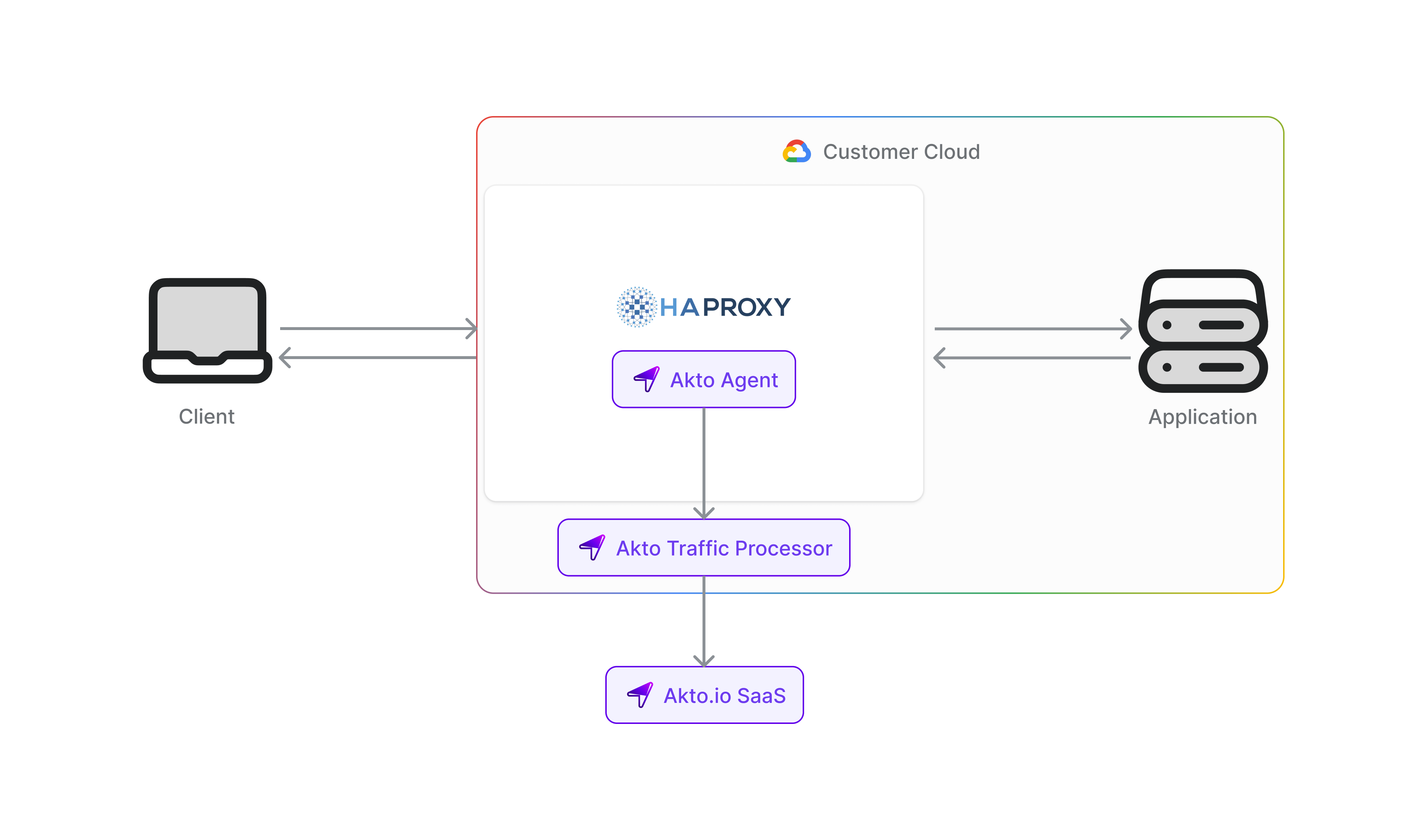
HAProxy is a high-performance, open-source load balancer and proxy server for TCP and HTTP-based applications. By connecting HAProxy with Akto, you can automatically discover and test the security of all APIs passing through your HAProxy instances, providing comprehensive visibility into your API traffic and ensuring consistent security across your load-balanced infrastructure.

<figure><img src="/files/4djx5F9iKWZxP2kRz7zZ" alt=""><figcaption></figcaption></figure>

To connect Akto with HAProxy, follow these steps -

1. Set up and configure Akto Traffic Processor. The steps are mentioned [here](https://docs.akto.io/getting-started/traffic-processor/hybrid-saas).
2. Add HAProxy connector
   1. Go to **Quick Start** in Akto Dashboard
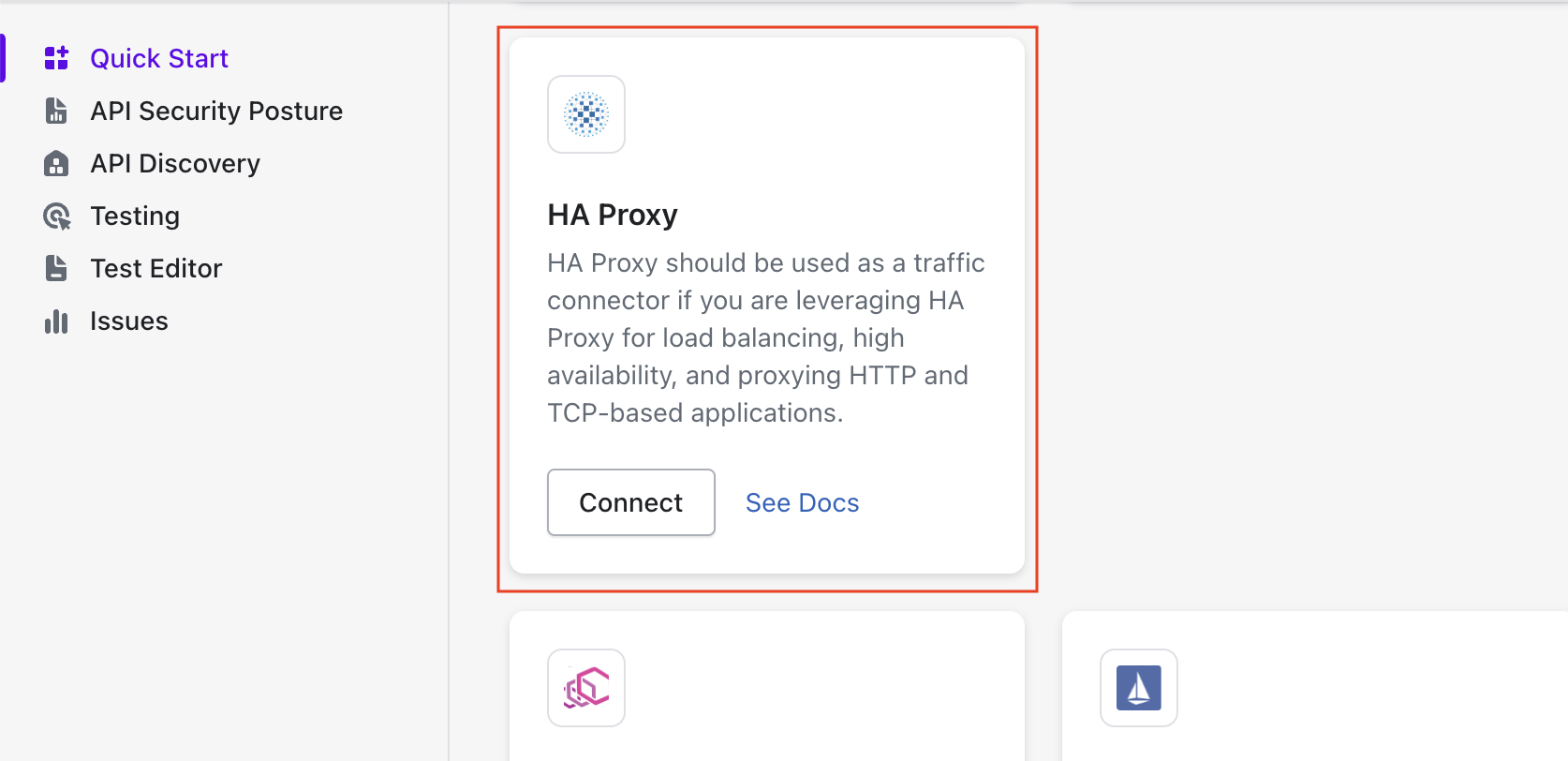
   2. Scroll to **HA Proxy** block and click on the **Connect** button to get instructions

<figure><img src="/files/mzMtSwYoeiLaKaEf3jbe" alt=""><figcaption><p>HA Proxy connector in Akto</p></figcaption></figure>

To enable this premium connector for your account, please reach out to our team at <help@akto.io> for pricing and setup information.


---

# Agent Instructions
This documentation is published with GitBook. GitBook is the documentation platform designed so that both humans and AI agents can read, navigate, and reason over technical content effectively. Learn more at gitbook.com.

## Querying This Documentation
If you need additional information that is not directly available in this page, you can query the documentation dynamically by asking a question.

Perform an HTTP GET request on the current page URL with the `ask` query parameter, and the optional `goal` query parameter:

```
GET https://docs.akto.io/traffic-connector/api-gateways/connect-akto-with-haproxy.md?ask=<question>&goal=<endgoal>
```

`ask` is the immediate question: it should be specific, self-contained, and written in natural language.
`goal` is optional and describes the broader end goal you are ultimately trying to accomplish on behalf of the user. GitBook uses it to tailor the answer towards what is most useful for that goal.

The response will contain a direct answer to the question and relevant excerpts and sources from the documentation.

Use this mechanism when the answer is not explicitly present in the current page, you need clarification or additional context, or you want to retrieve related documentation sections.