> For the complete documentation index, see [llms.txt](https://docs.akto.io/llms.txt). Markdown versions of documentation pages are available by appending `.md` to page URLs; this page is available as [Markdown](https://docs.akto.io/integrations/jfrog.md).
# JFrog
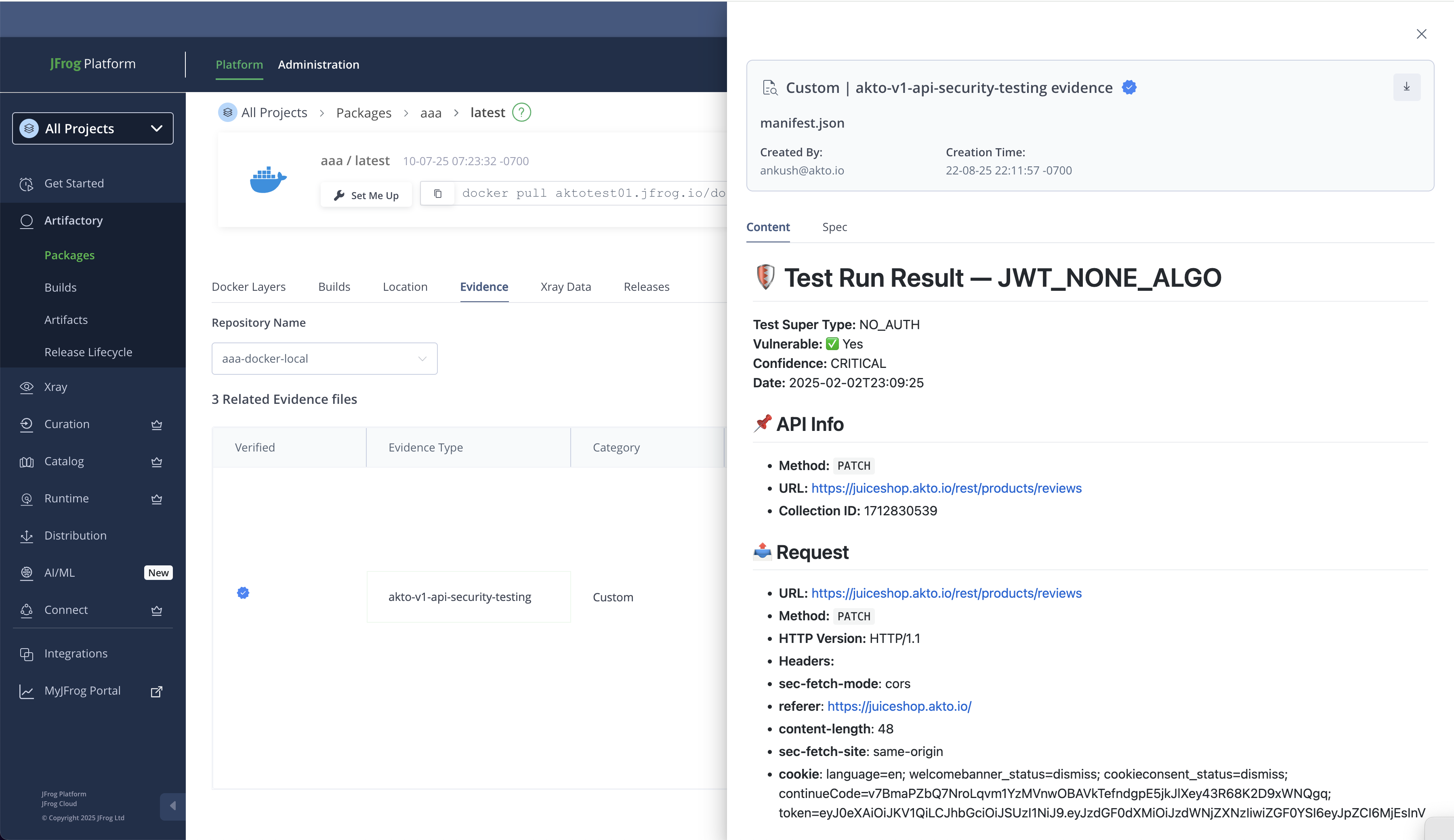
Akto testing results can be seamlessly uploaded into JFrog as **evidence artifacts**, enabling security validation to travel with every stage of the software lifecycle. Whether it’s a **package**, a **build**, or a **release bundle**, Akto results can be attached as evidence, ensuring that vulnerabilities and compliance checks are transparently tied to the exact artifact version being shipped. This integration provides traceability, strengthens audit readiness, and embeds API security insights directly into the DevSecOps pipeline.
***
### 🔧 Steps to upload Akto results as Evidence on JFrog
#### Pre-requisites
1. **JFrog package/build info**: It can be
1. package version, package name and package repo name
2. build name, build number
2. **JFrog key details**
1. key alias
2. private key file (.pem)
3. **X-API-KEY** : Your Akto API Key that you can get from Settings > Integrations > Akto API
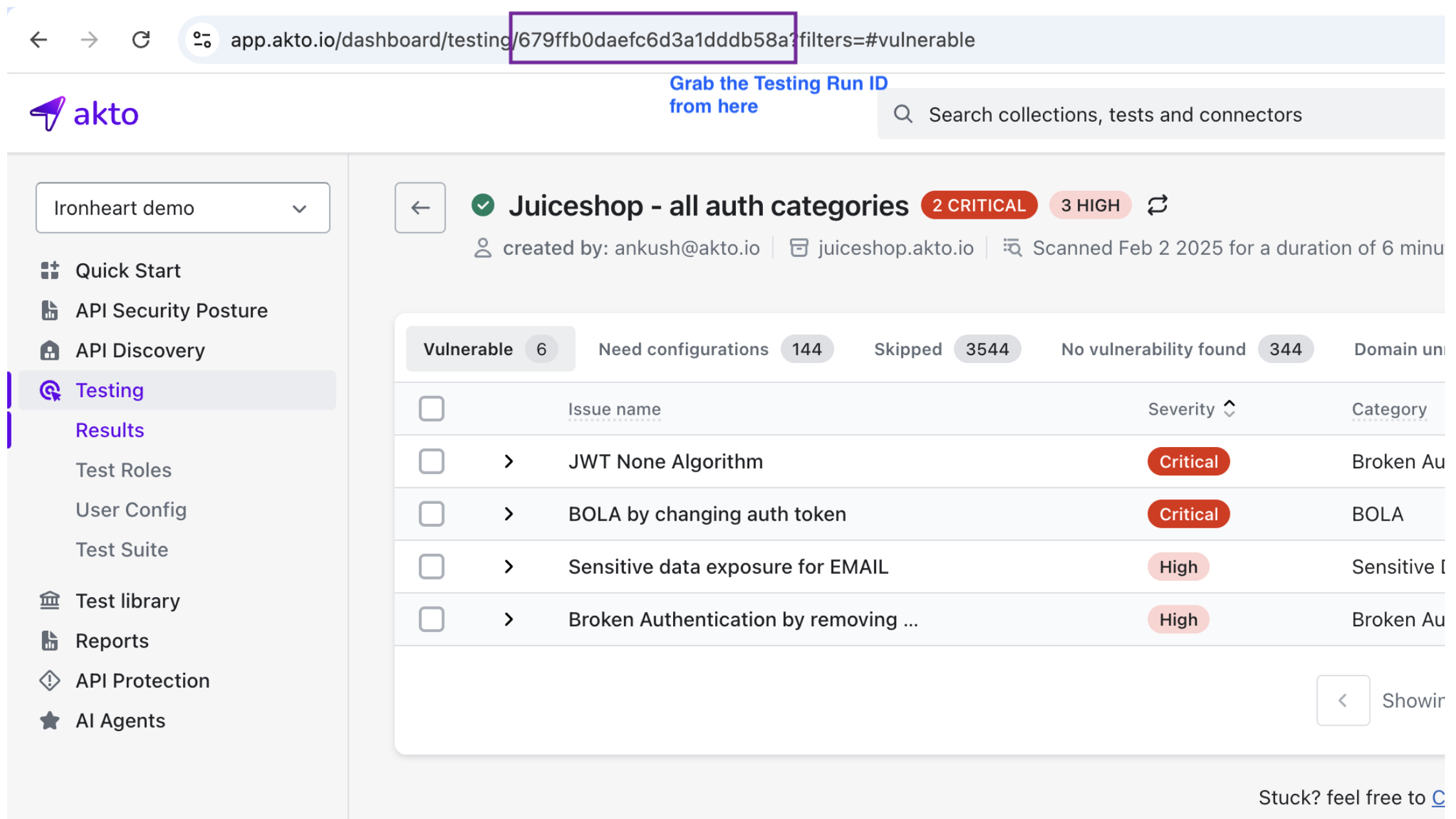
4. **Test result summary id** : You can find this from the URL
#### 2. Run the following script -
```bash
wget https://raw.githubusercontent.com/akto-api-security/integration_scripts/refs/heads/master/jfrog/akto_testing_jfrog.sh
chmod +x akto_testing_jfrog.sh
export AKTO_API_KEY=YOUR_API_KEY_HERE
export SUMMARY_HEX_ID=YOUR_TEST_SUMMARY_ID_HERE
./akto_testing_jfrog.sh
```
#### 3. Check the output
* You should see 2 files
* testing\_results.json
* testing\_results.md
* Successful bash output looks like the following -
```bash
ankushjain@MacBook-Pro bootstrap % ./akto_testing_jfrog.sh
📡 Fetching results from Akto API...
✅ Markdown report saved to testing_results.md (0 processed, 0 skipped)
```
#### 4. Run the following command to upload evidence -
{% code overflow="wrap" %}
```basic
// For packages
jf evd create
--package-name="JFROG_PACKAGE_NAME" \
--package-version="JFROG_PACKAGE_VERSION" \
--package-repo-name="JFROG_PACKAGE_REPO" \
--key="JFROG_PRIVATE_KEY_PEM_FILE_PATH" \
--key-alias="JFROG_PRIVATE_KEY_ALIAS" \
--predicate="../testing_results.json" \
--predicate-type="https://akto.io/v1/api-security-testing" \
--markdown="../testing_results.md" \
// For builds
jf evd create \
--build-name "JFROG_BUILD_NAME" \
--build-number "JFROG_BUILD_NUMBER" \
--key JFROG_PRIVATE_KEY_PEM_FILE_PATH \
--key-alias JFROG_PRIVATE_KEY_ALIAS \
--predicate "testing_results.json" \
--predicate-type "https://akto.io/v1/api-security-testing" \
--markdown "testing_results.md"
```
{% endcode %}
***
### 📥 What Data Gets Sent
* **API security test findings**: Vulnerable findings only along with
* Vulnerability details
* API Collection name + path
* sample payload
* severity details
***
### ✅ Verifying in JFrog
To verify evidence got uploaded:
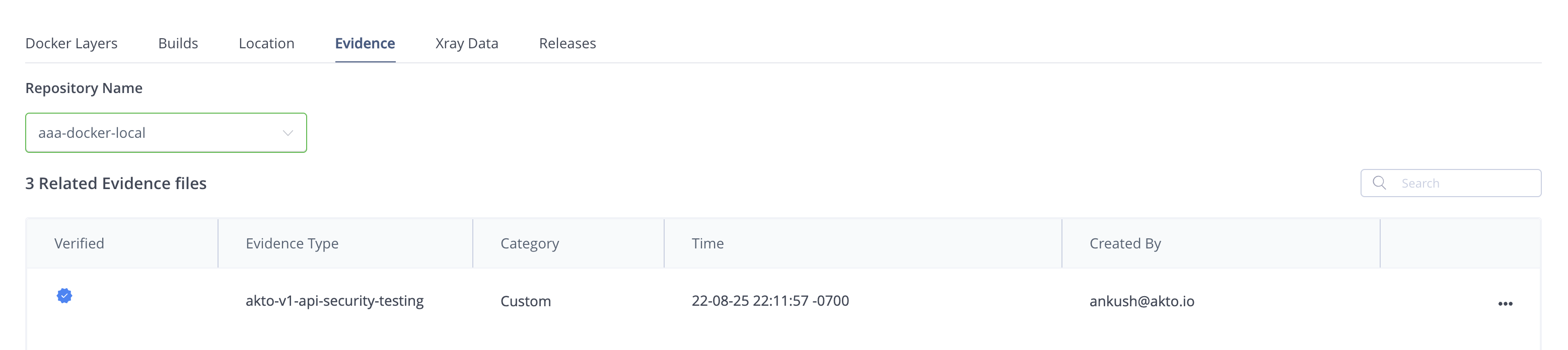
1. Go to **Package or Build name** in your JFrog dashboard.
2. Go to Evidence tab
3. Look for Akto evidence
***
## Get Support for your Akto setup
There are multiple ways to request support from Akto. We are 24X7 available on the following:
1. In-app `intercom` support. Message us with your query on intercom in Akto dashboard and someone will reply.
2. Join our [discord channel](https://www.akto.io/community) for community support.
3. Contact `help@akto.io` for email support.