> For the complete documentation index, see [llms.txt](https://docs.akto.io/llms.txt). Markdown versions of documentation pages are available by appending `.md` to page URLs; this page is available as [Markdown](https://docs.akto.io/api-protection/concepts/successful-exploits.md).
# Successful Exploits
**Successful Exploits Policy**
Customizable filters that mark detected security threats by Akto's Runtime Threat Protection as successful exploits in the Threat Activity dashboard.
**How to configure**
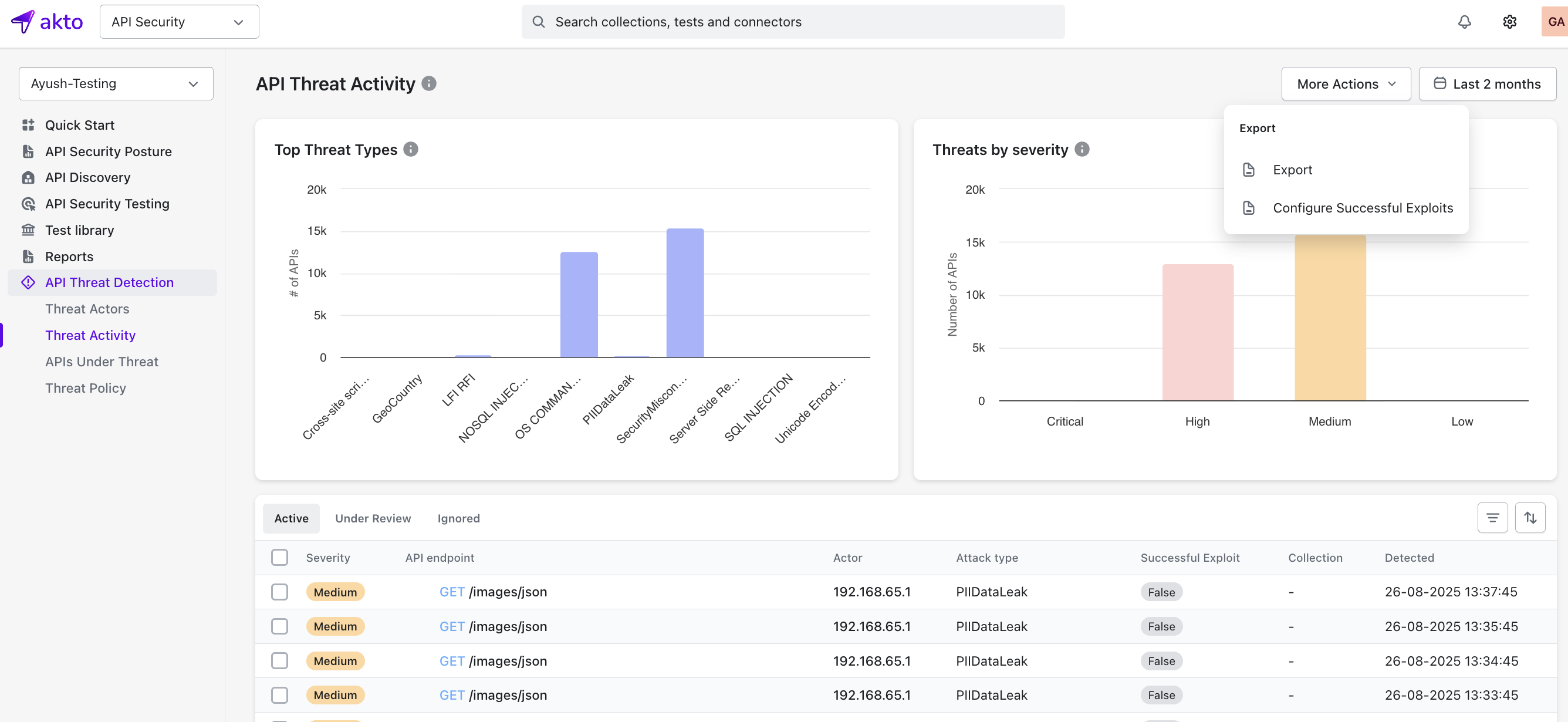
Go to **API Threat Detection → Threat Activity** in the left sidebar. Click **More Actions → Configure Successful Exploit**.
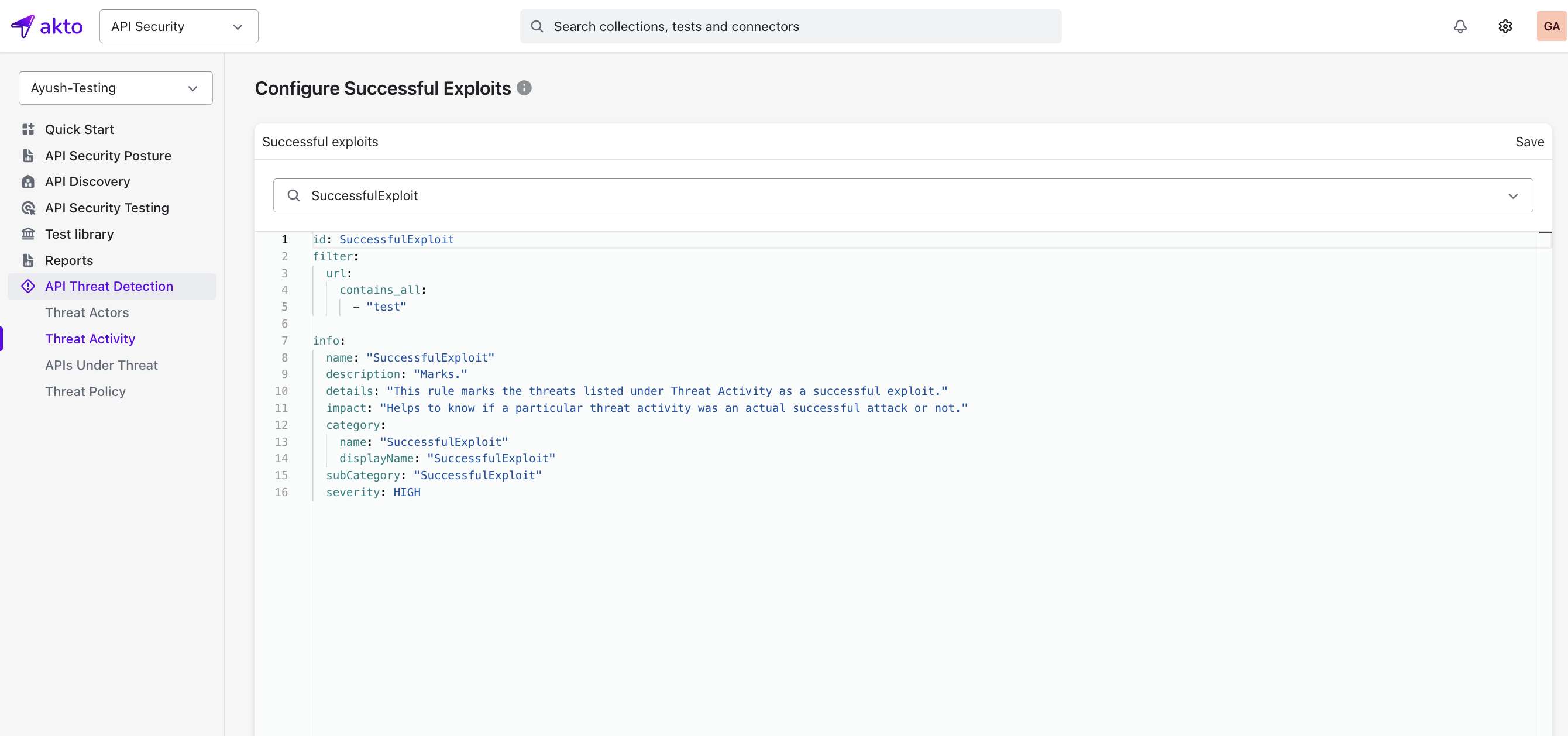
**Note:** Policies must use category name `SuccessfulExploit`
**Syntax Reference:** For detailed syntax on how to define API selection filters, see [API Selection Filters](https://docs.akto.io/test-editor/concepts/test-yaml-syntax-detailed/api-selection-filters).
**Example Successful Exploit Policy**
Marks all threats as successful exploits when the URL contains `test`.
```
id: SuccessfulExploit
filter:
url:
contains_all:
- "test"
info:
name: "SuccessfulExploit"
description: "Marks threats as successful exploits"
details: "Identifies which threat activities were actual successful attacks"
impact: "Distinguishes real attacks from false positives"
category:
name: "SuccessfulExploit"
displayName: "SuccessfulExploit"
subCategory: "SuccessfulExploit"
severity: HIGH
```