> For the complete documentation index, see [llms.txt](https://docs.akto.io/llms.txt). Markdown versions of documentation pages are available by appending `.md` to page URLs; this page is available as [Markdown](https://docs.akto.io/test-editor/how-to/add-test-role-in-editor.md).
# Add Test Role in Editor
## Overview
You can associate a **test role** with a test to control which API role or context Akto uses while executing the test. Associating a test role helps align test execution with role-based access patterns observed in production traffic.
## Steps to Add a Test Role
{% stepper %}
{% step %}
Log in to the Akto dashboard and navigate to **Test Library**.
{% endstep %}
{% step %}
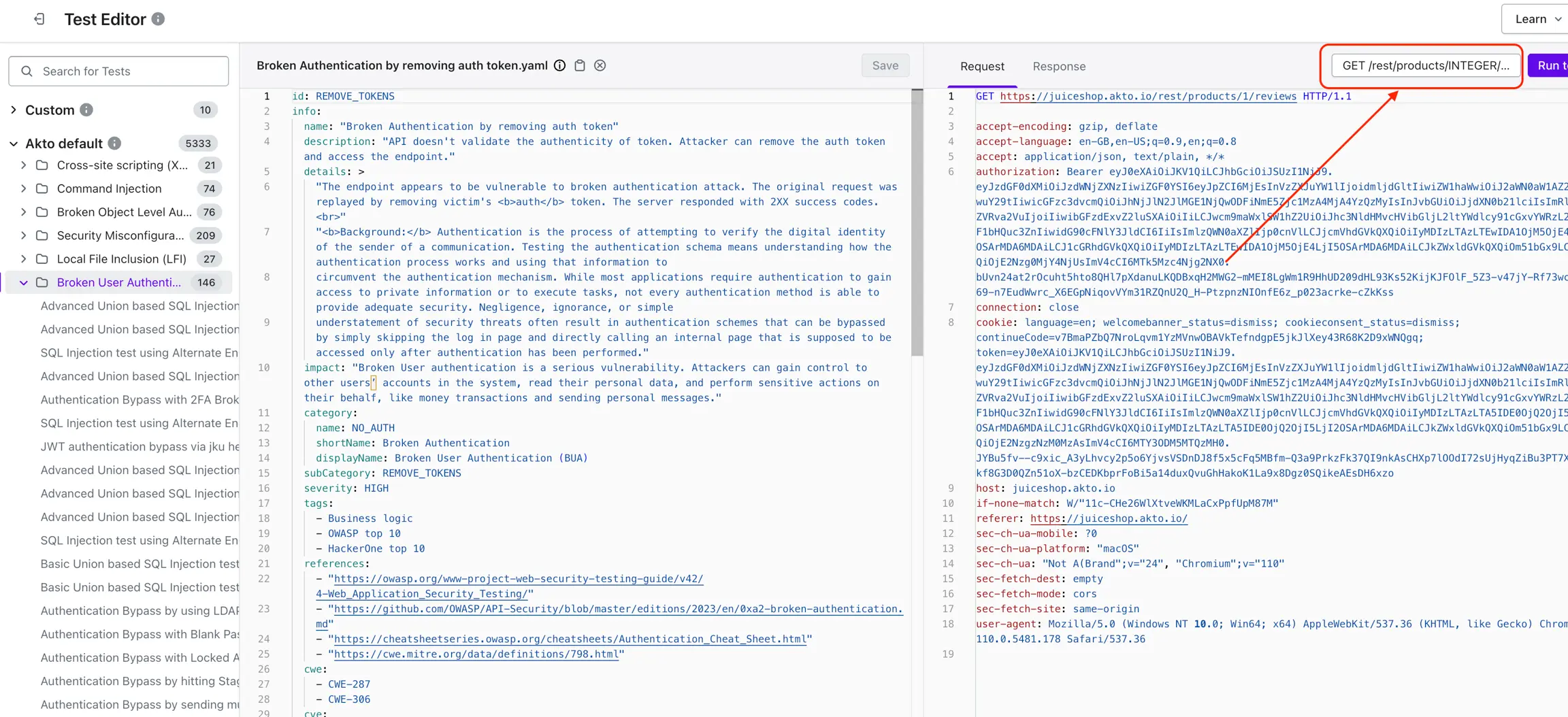
Open the **Test Editor** by clicking **Editor**.
{% endstep %}
{% step %}
Select the test you want to edit from the list.
{% endstep %}
{% step %}
Click the **API name box** in the top-right corner.
{% endstep %}
{% step %}
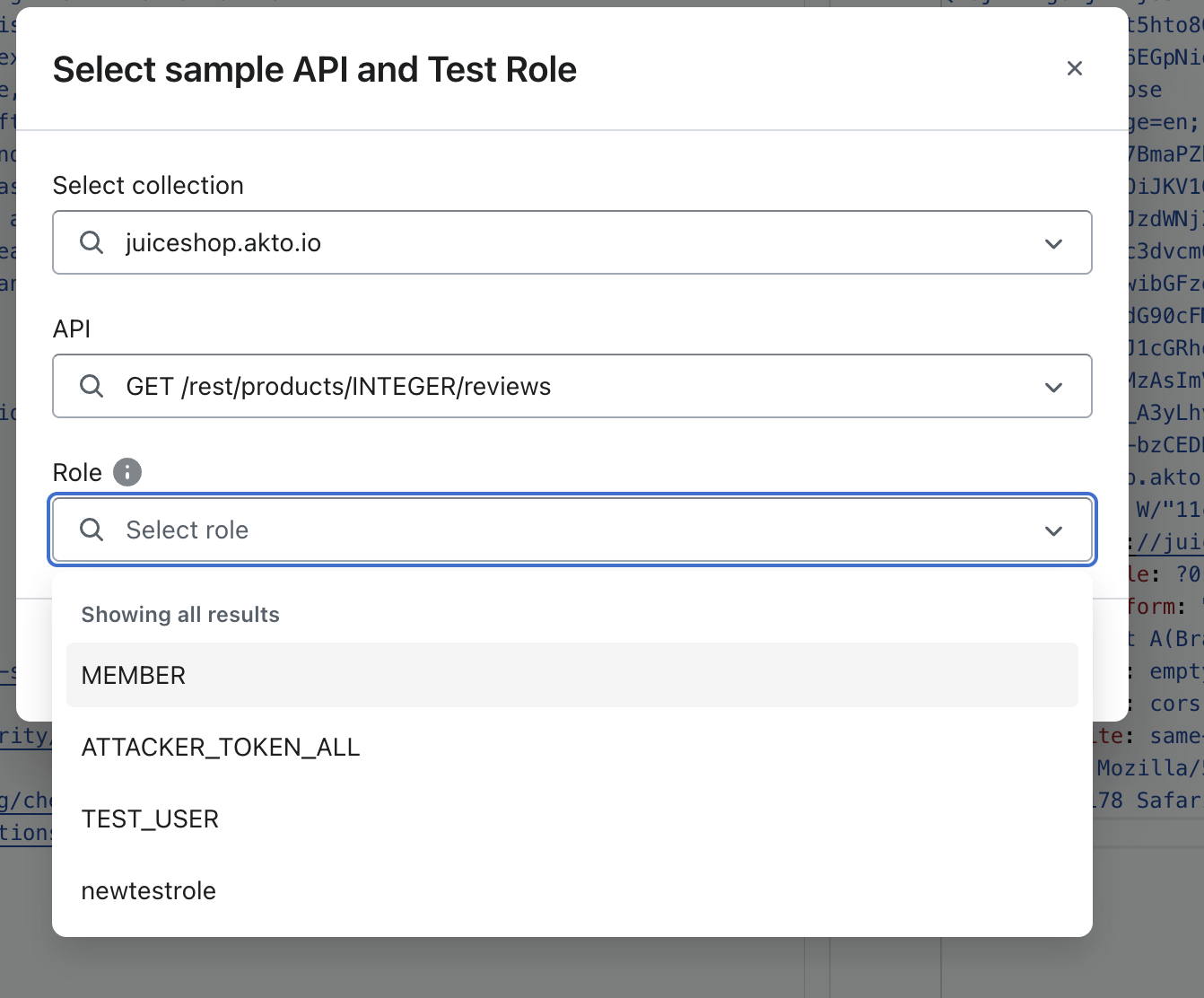
In the dialog, choose the desired **test role** from the available options.
{% endstep %}
{% step %}
Click **Save** to apply the test role to the test.
{% endstep %}
{% endstepper %}
{% hint style="warning" %}
**Test role selection is available only in the Akto Testing module.**
{% endhint %}
## Result of Test Role Association
The selected test role becomes associated with the test configuration. Akto uses the selected role context when executing the test against the chosen API, which helps ensure role-aware security validation.