> For the complete documentation index, see [llms.txt](https://docs.akto.io/llms.txt). Markdown versions of documentation pages are available by appending `.md` to page URLs; this page is available as [Markdown](https://docs.akto.io/integrations/wiz.md).
# Wiz
Seamlessly enhance your API security posture with Akto's Wiz integration. Connect Wiz as a traffic source to periodically import your API endpoints into Akto's inventory, and enrich your Wiz dashboard with API vulnerabilities discovered by Akto.
{% hint style="info" %}
**Prerequisites**
Before setting up the Wiz integration, ensure you have:
* A Wiz service account
* Your **Tenant Data Center** — to find it:
1. At the top right of your Wiz portal, click the user icon > **Tenant Info**.
2. On the left side, click **Data Center and Regions**.
3. Make a note of your **Tenant Data Center**.
{% endhint %}
## Quick Setup Steps
{% stepper %}
{% step %}
**Access Integrations**
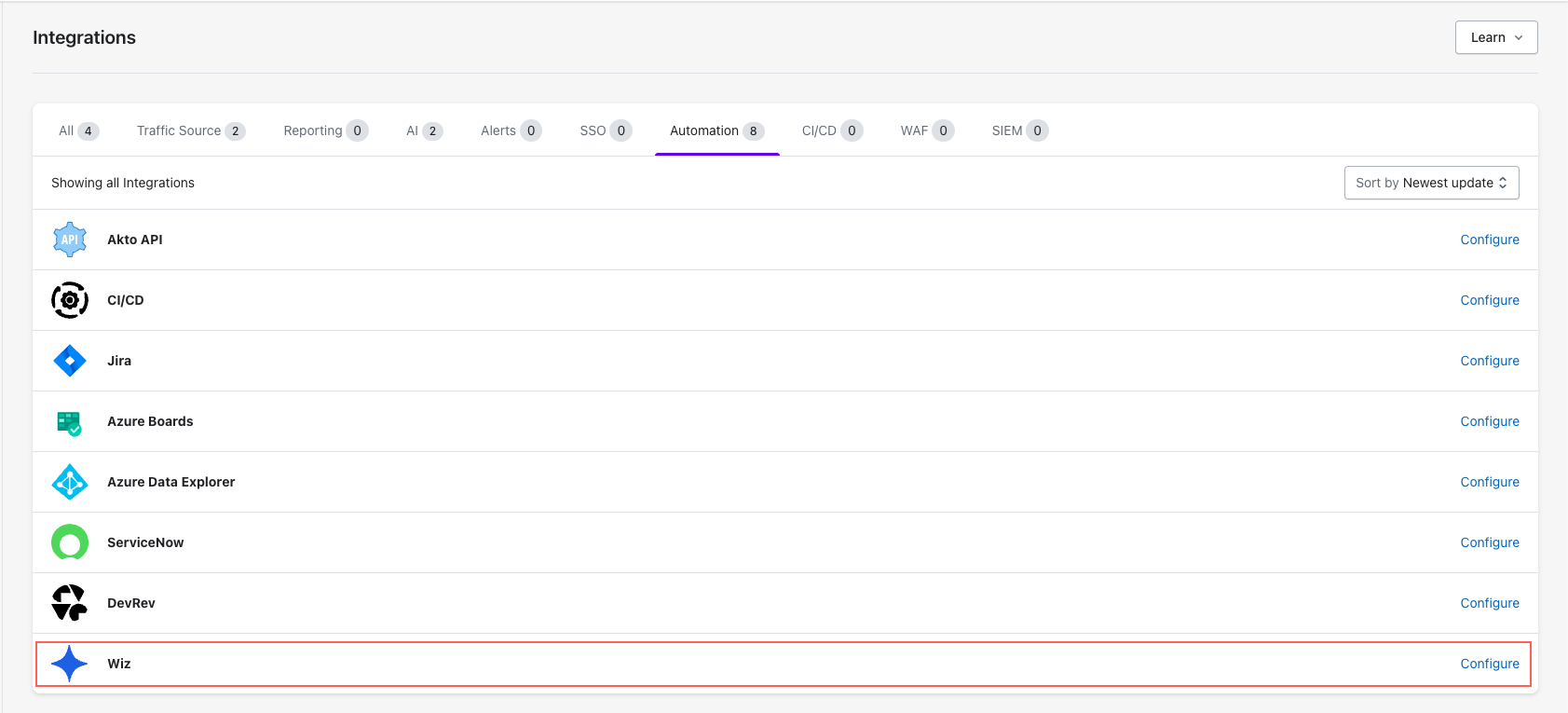
* Go to **Settings > Integrations**.
* Find and click **"Configure"** next to Wiz.
{% endstep %}
{% step %}
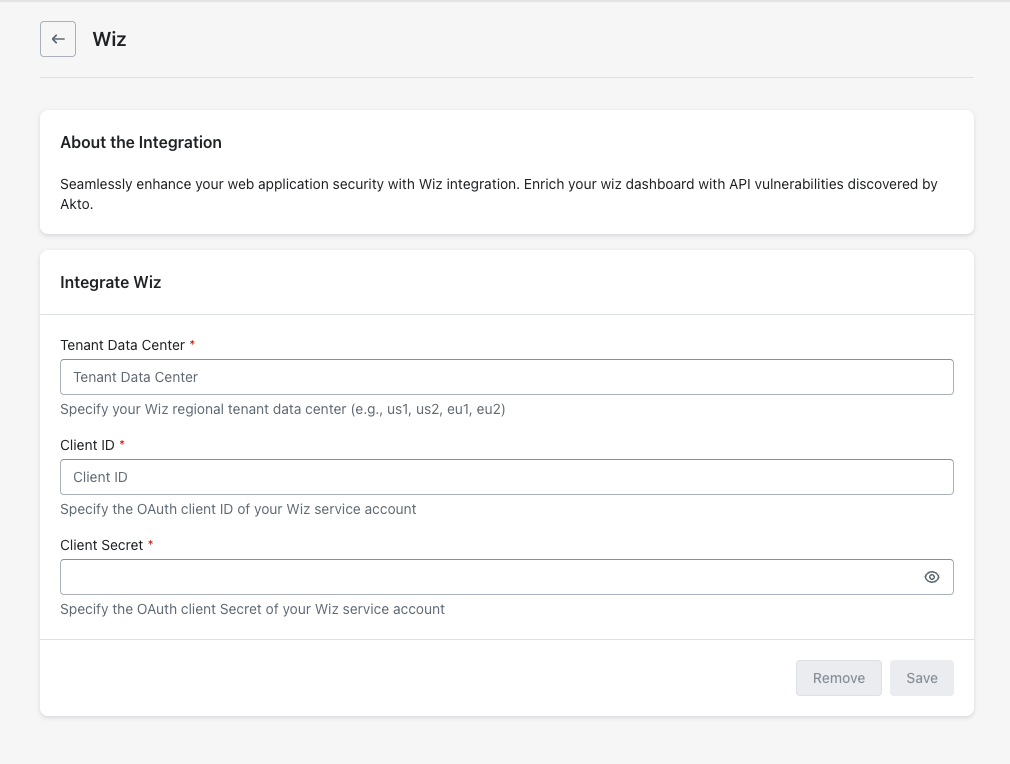
**Enter Wiz Details**
1. Enter **Tenant Data Center**.
2. Enter wiz service account details
1. Enter **Client ID**
2. Enter **Client Secret**
{% endstep %}
{% step %}
**Save Configuration**
* Click **"Save"** to finalise.
{% endstep %}
{% endstepper %}
## Connect Wiz Traffic Source
Once the integration is configured, you can connect Wiz as a traffic source. This will periodically import API endpoints discovered by Wiz into Akto's API inventory.
{% hint style="info" %}
**Prerequisites**
Your Wiz service account must have the following scope:
* **read:api\_endpoints**
{% endhint %}
{% stepper %}
{% step %}
**Connect Traffic Source**
After saving the integration, click **"Connect"** under the **Connect Wiz traffic source** section.
{% endstep %}
{% endstepper %}
## Creating Wiz Findings
{% hint style="info" %}
**Prerequisites**
Your Wiz service account must have the following scopes:
* **create:external\_data\_ingestion**
* **read:system\_activities**
{% endhint %}
{% stepper %}
{% step %}
**Access Issue**
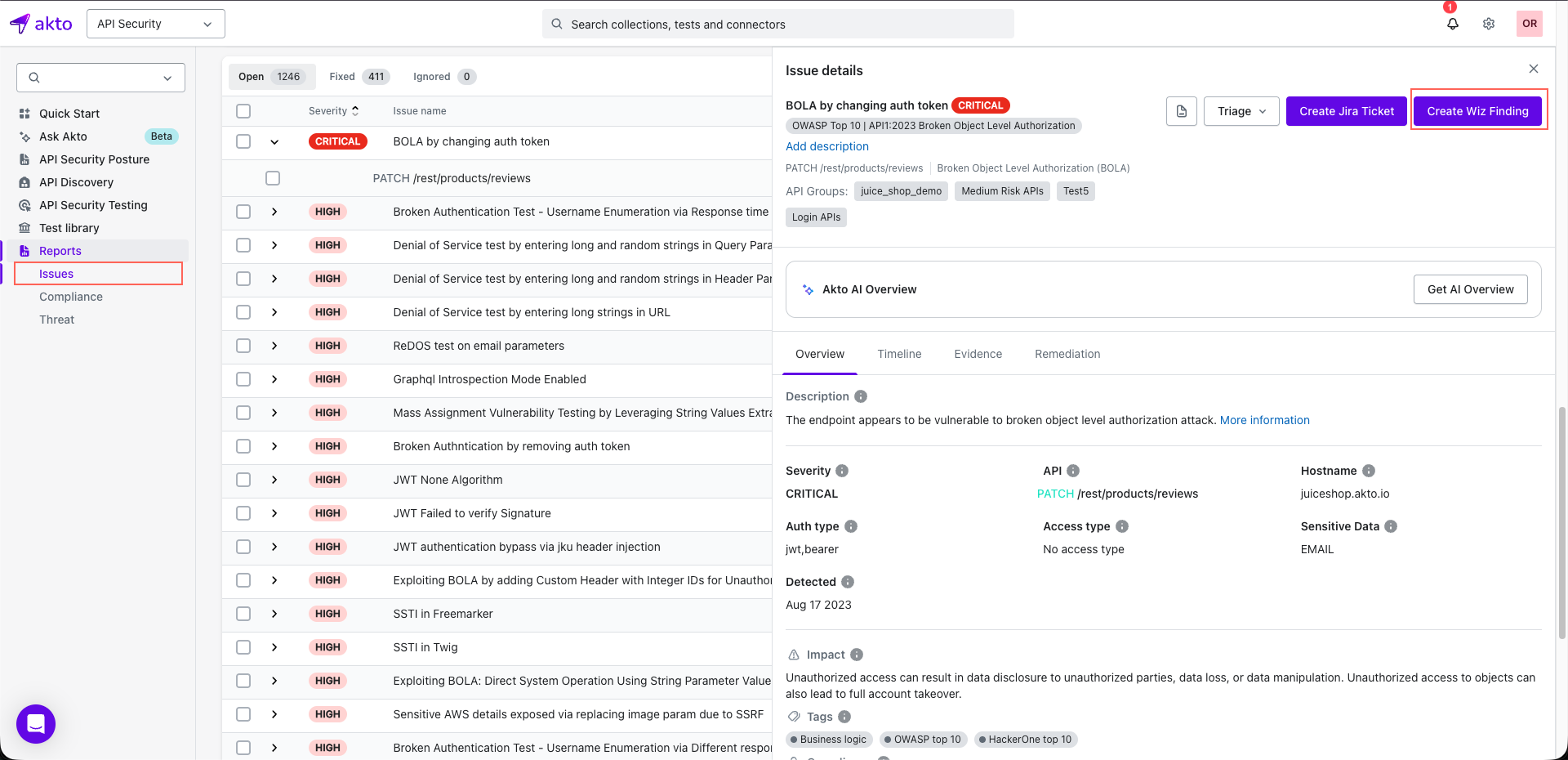
1. Go to **Reports > Issues**.
2. Click on an **Issue**.
{% endstep %}
{% step %}
**Create Finding**
Click on the **Create Wiz Finding** button to create a finding in Wiz.
{% endstep %}
{% endstepper %}
## Get Support for your Akto setup
There are multiple ways to request support from Akto. We are 24X7 available on the following:
1. In-app `intercom` support. Message us with your query on intercom in Akto dashboard and someone will reply.
2. Join our [discord channel](https://www.akto.io/community) for community support.
3. Contact `help@akto.io` for email support.
4. Contact us [here](https://www.akto.io/contact-us).