> For the complete documentation index, see [llms.txt](https://docs.akto.io/llms.txt). Markdown versions of documentation pages are available by appending `.md` to page URLs; this page is available as [Markdown](https://docs.akto.io/integrations/new-relic.md).
# New Relic
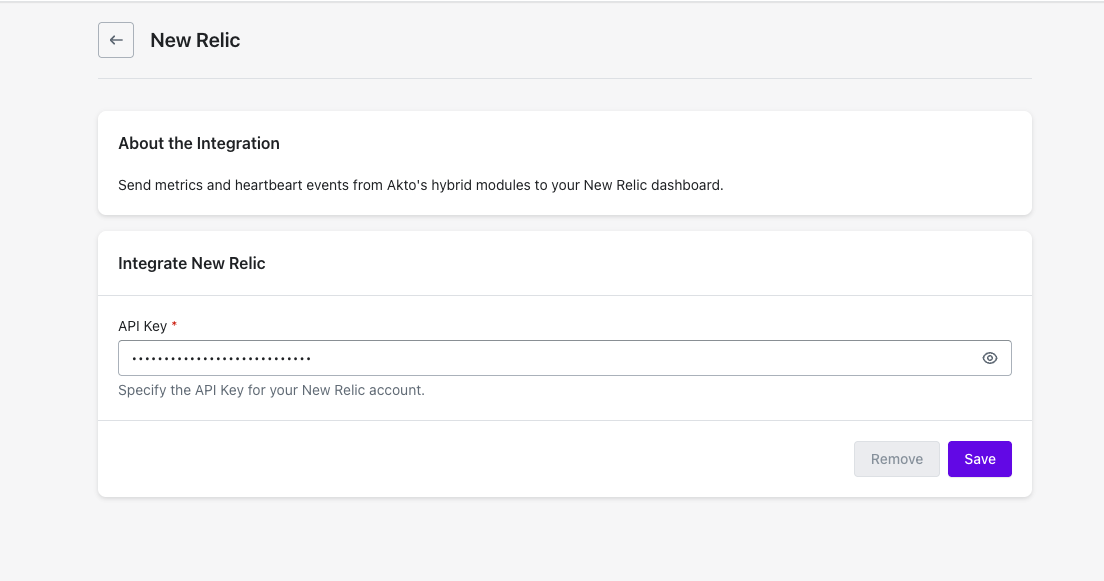
Send metrics and heartbeat events from Akto's hybrid modules to your New Relic dashboard.
{% hint style="info" %}
#### Prerequisites
Before setting up the New Relic Integration, ensure you have a API Key of the type: **Ingest - License**
{% endhint %}
## Quick Setup Steps
{% stepper %}
{% step %}
**Access Integrations**
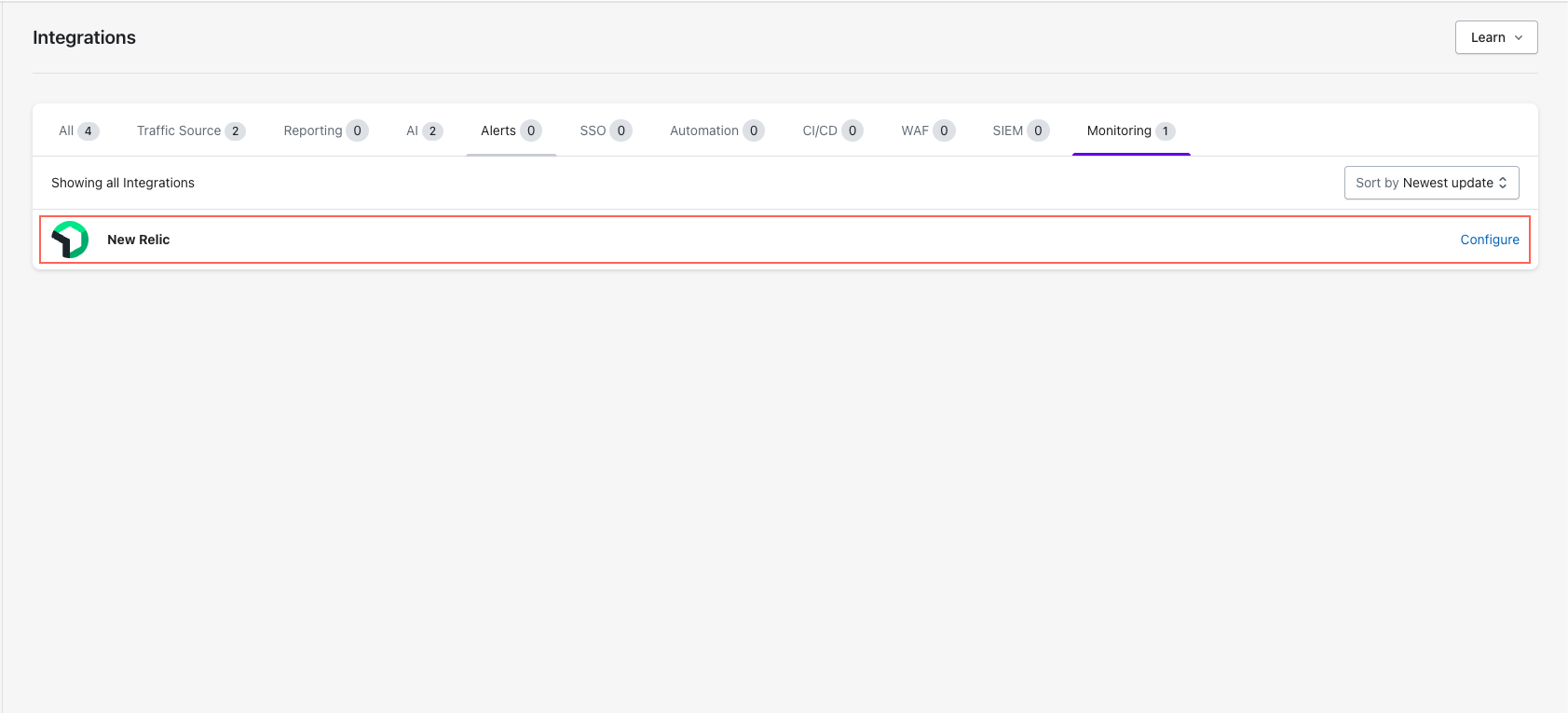
* Go to **Settings > Integrations**.
* Find and click **"Configure"** next to New Relic.
{% endstep %}
{% step %}
**Enter New Relic API Key**
{% endstep %}
{% step %}
**Save Configuration**
* Click **"Save"** to finalise.
{% endstep %}
{% endstepper %}
## Data Reference
Akto sends two types of telemetry to New Relic: **metrics** (flushed every 120 seconds) and **heartbeat events** (sent every 30 seconds per module).
### Heartbeat Event
Each Akto module emits a New Relic custom event of type `AktoModuleHeartbeatReceived` every 30 seconds. You can query it with:
```sql
SELECT * FROM AktoModuleHeartbeatReceived SINCE 1 hour ago
```
The event carries the following attributes:
| Attribute | Description |
| ----------------------------------- | ------------------------------------------------------- |
| `akto.account.id` | Akto account ID |
| `akto.module.id` | Unique ID of the module instance |
| `akto.module.type` | Module type (e.g. `RUNTIME`, `MINI_RUNTIME`, `TESTING`) |
| `akto.module.name` | Human-readable module name |
| `akto.module.currentVersion` | Deployed version of the module |
| `akto.module.startedTs` | Unix timestamp when the module started |
| `akto.module.lastHeartbeatReceived` | Unix timestamp of the last heartbeat |
### Metrics
All metrics are prefixed `akto.metric.` and flushed every **120 seconds**. Each metric includes the same module and account attributes listed in the heartbeat table above.
There are four metric types:
| Type | New Relic kind | Meaning |
| --------- | -------------- | -------------------------------------------- |
| `SUM` | `Count` | Cumulative count over the 120 s flush window |
| `GAUGE` | `Gauge` | Point-in-time value at flush time |
| `LATENCY` | `Gauge` | Average over the flush window |
| `MAX` | `Gauge` | Maximum value seen in the flush window |
#### Runtime metrics
Emitted by the **Mini-Runtime** modules.
| New Relic metric name | Type | Description |
| ----------------------------------------- | ------- | ---------------------------------------------------------- |
| `akto.metric.rt_kafka_record_count` | SUM | Number of records processed by the runtime module |
| `akto.metric.rt_kafka_record_size` | SUM | Total byte size of records processed by the runtime module |
| `akto.metric.rt_kafka_latency` | LATENCY | Average processing latency for runtime records |
| `akto.metric.rt_api_received_count` | SUM | Number of APIs received by the mini-runtime module |
| `akto.metric.kafka_records_lag_max` | MAX | Maximum consumer lag across Kafka partitions |
| `akto.metric.kafka_records_consumed_rate` | GAUGE | Current rate of Kafka record consumption |
| `akto.metric.kafka_fetch_avg_latency` | GAUGE | Average fetch latency from Kafka |
| `akto.metric.kafka_bytes_consumed_rate` | GAUGE | Current byte consumption rate from Kafka |
| `akto.metric.cyborg_new_api_count` | SUM | Newly discovered APIs detected in the flush window |
| `akto.metric.cyborg_total_api_count` | SUM | Total APIs tracked by Cyborg |
| `akto.metric.delta_catalog_new_count` | SUM | New items added to the delta catalog |
| `akto.metric.delta_catalog_total_count` | SUM | Total items in the delta catalog |
| `akto.metric.cyborg_api_payload_size` | SUM | Total size of API payloads processed by Cyborg |
#### Testing metrics
Emitted by the **Mini-Testing** module.
| New Relic metric name | Type | Description |
| ------------------------------------------------ | ------- | ---------------------------------------------- |
| `akto.metric.testing_run_count` | SUM | Test runs executed in the flush window |
| `akto.metric.testing_run_latency` | LATENCY | Average time to complete a test run |
| `akto.metric.sample_data_fetch_latency` | LATENCY | Average latency for single sample-data fetches |
| `akto.metric.multiple_sample_data_fetch_latency` | LATENCY | Average latency for bulk sample-data fetches |
#### Cyborg metrics
Emitted by any module that calls Cyborg.
| New Relic metric name | Type | Description |
| --------------------------------- | ------- | ----------------------------------- |
| `akto.metric.cyborg_call_count` | SUM | Calls made to Cyborg |
| `akto.metric.cyborg_call_latency` | LATENCY | Average Cyborg call latency |
| `akto.metric.cyborg_data_size` | SUM | Total data size sent to/from Cyborg |
#### Infrastructure metrics
Emitted by every module, reflecting the JVM process running that module.
| New Relic metric name | Type | Description |
| -------------------------------------- | ----- | -------------------------------------- |
| `akto.metric.cpu_usage_percent` | GAUGE | Process CPU usage (%) |
| `akto.metric.heap_memory_used_mb` | GAUGE | JVM heap memory in use (MB) |
| `akto.metric.heap_memory_max_mb` | GAUGE | Maximum JVM heap memory available (MB) |
| `akto.metric.non_heap_memory_used_mb` | GAUGE | JVM non-heap memory in use (MB) |
| `akto.metric.thread_count` | GAUGE | Number of live JVM threads |
| `akto.metric.available_processors` | GAUGE | CPU cores available to the JVM |
| `akto.metric.total_physical_memory_mb` | GAUGE | Total physical host memory (MB) |
#### Traffic Collector profiling metrics
Emitted per Traffic Collector instance.
| New Relic metric name | Type | Description |
| ----------------------------- | ----- | -------------------------------------------------- |
| `akto.metric.tc_cpu_usage` | GAUGE | CPU usage (%) of the traffic collector instance |
| `akto.metric.tc_memory_usage` | GAUGE | Memory used (MB) by the traffic collector instance |
## Get Support for your Akto setup
There are multiple ways to request support from Akto. We are 24X7 available on the following:
1. In-app `intercom` support. Message us with your query on intercom in Akto dashboard and someone will reply.
2. Join our [discord channel](https://www.akto.io/community) for community support.
3. Contact `help@akto.io` for email support.
4. Contact us [here](https://www.akto.io/contact-us).