> For the complete documentation index, see [llms.txt](https://docs.akto.io/llms.txt). Markdown versions of documentation pages are available by appending `.md` to page URLs; this page is available as [Markdown](https://docs.akto.io/integrations/ci-cd-integrations/how-to/run-tests-in-cicd.md).
# Run tests in CI/CD
## Introduction
You can trigger Akto's API Security tests in your CI/CD pipelines too. Generate your **Akto token** and send API requests to Akto dashboard to start running tests.
### Generate Akto token
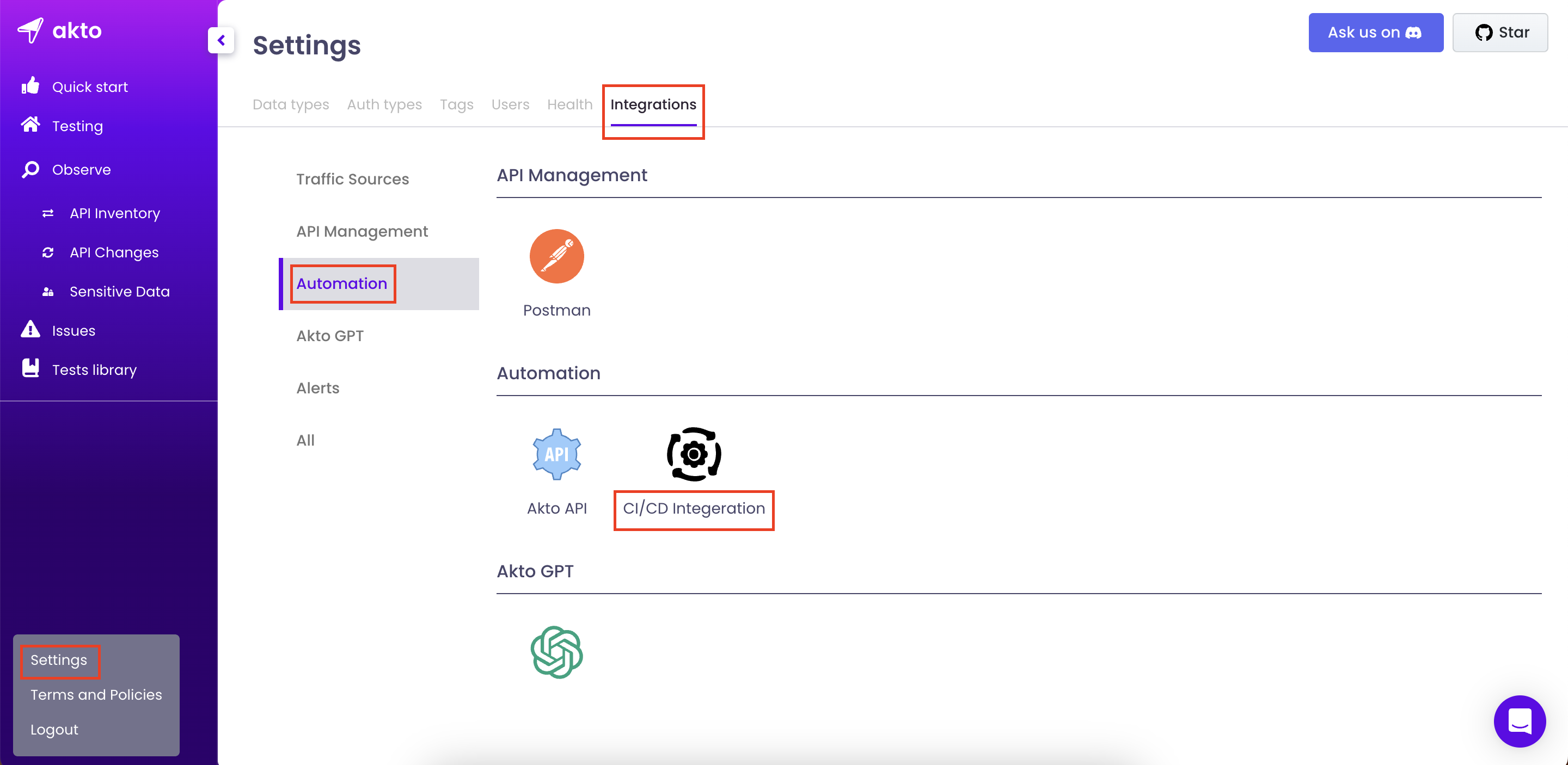
* Go to `My account > Settings > Integrations`
* Select `CI/CD Integeration` under `Automation category`
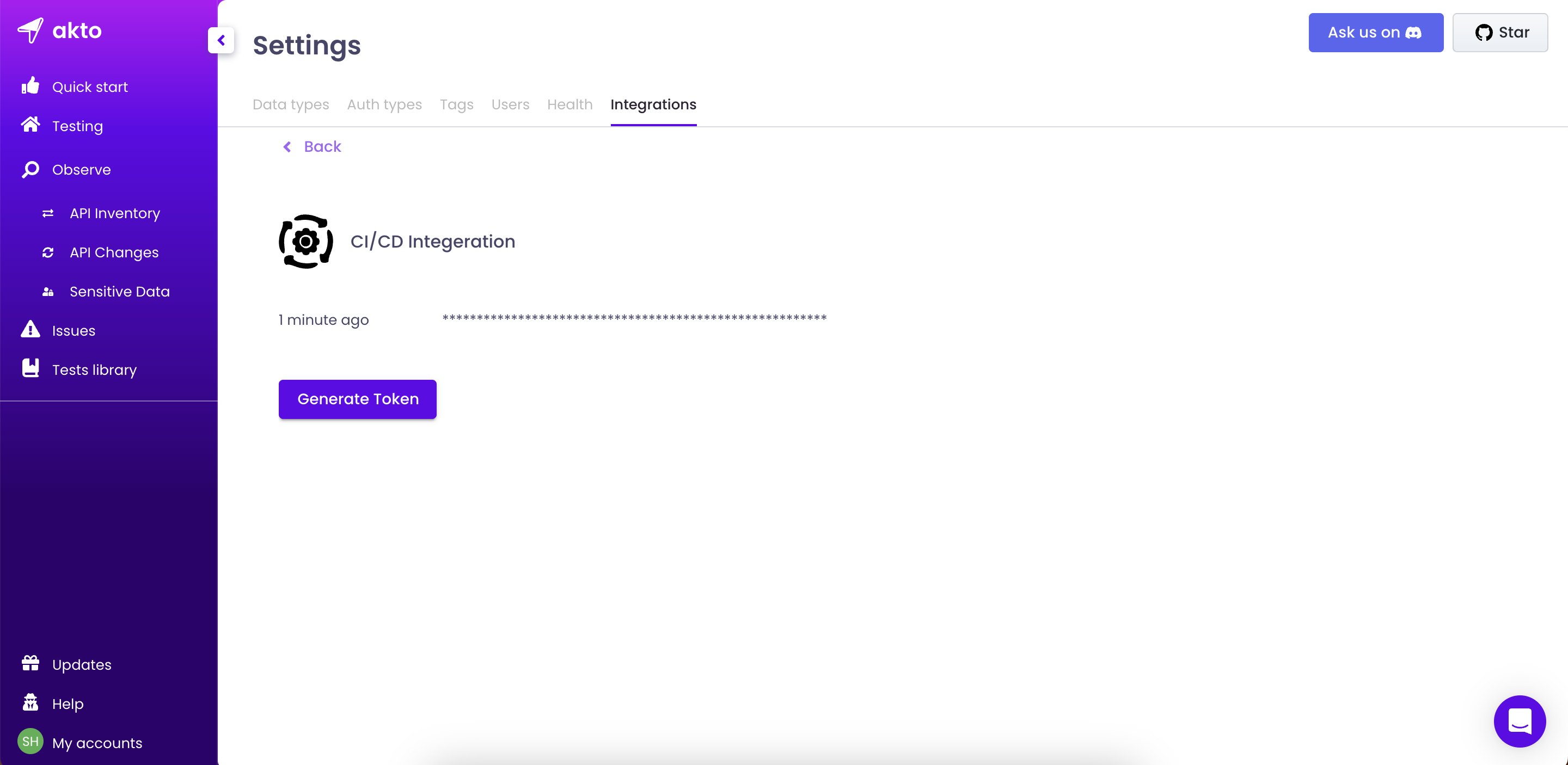
* Click on `Generate token` button to generate a fresh token or copy an existing token.
### Add trigger in your CI/CD tool
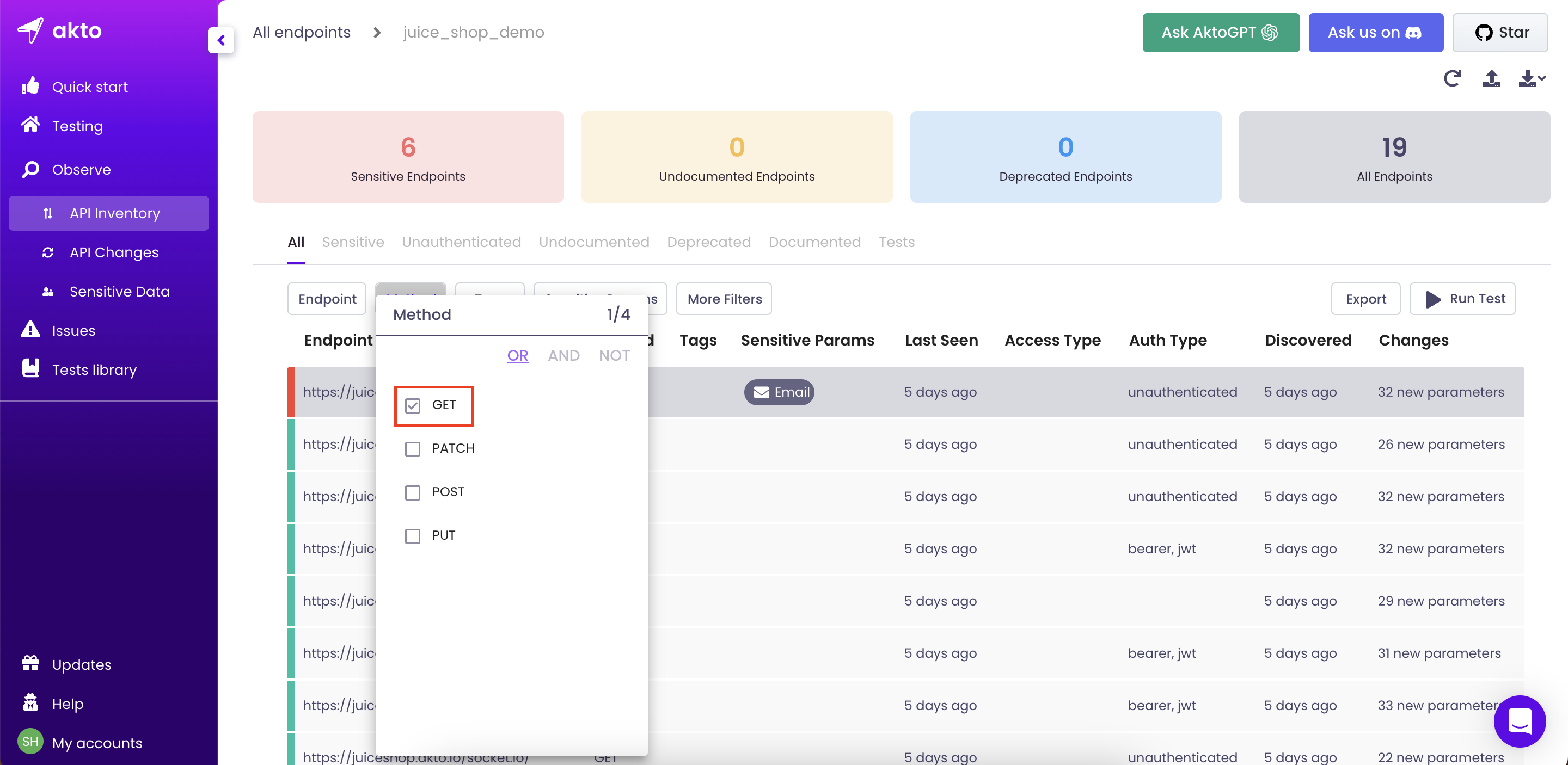
* Open the API collection where you want to run the tests.
* By default, the API collection view shows all APIs. You can filter the APIs on which you want to run the tests. For example, to run tests only on `GET` endpoints, we can add a filter to show only `GET` endpoints.
* Click on the `Run test` button on the top right.
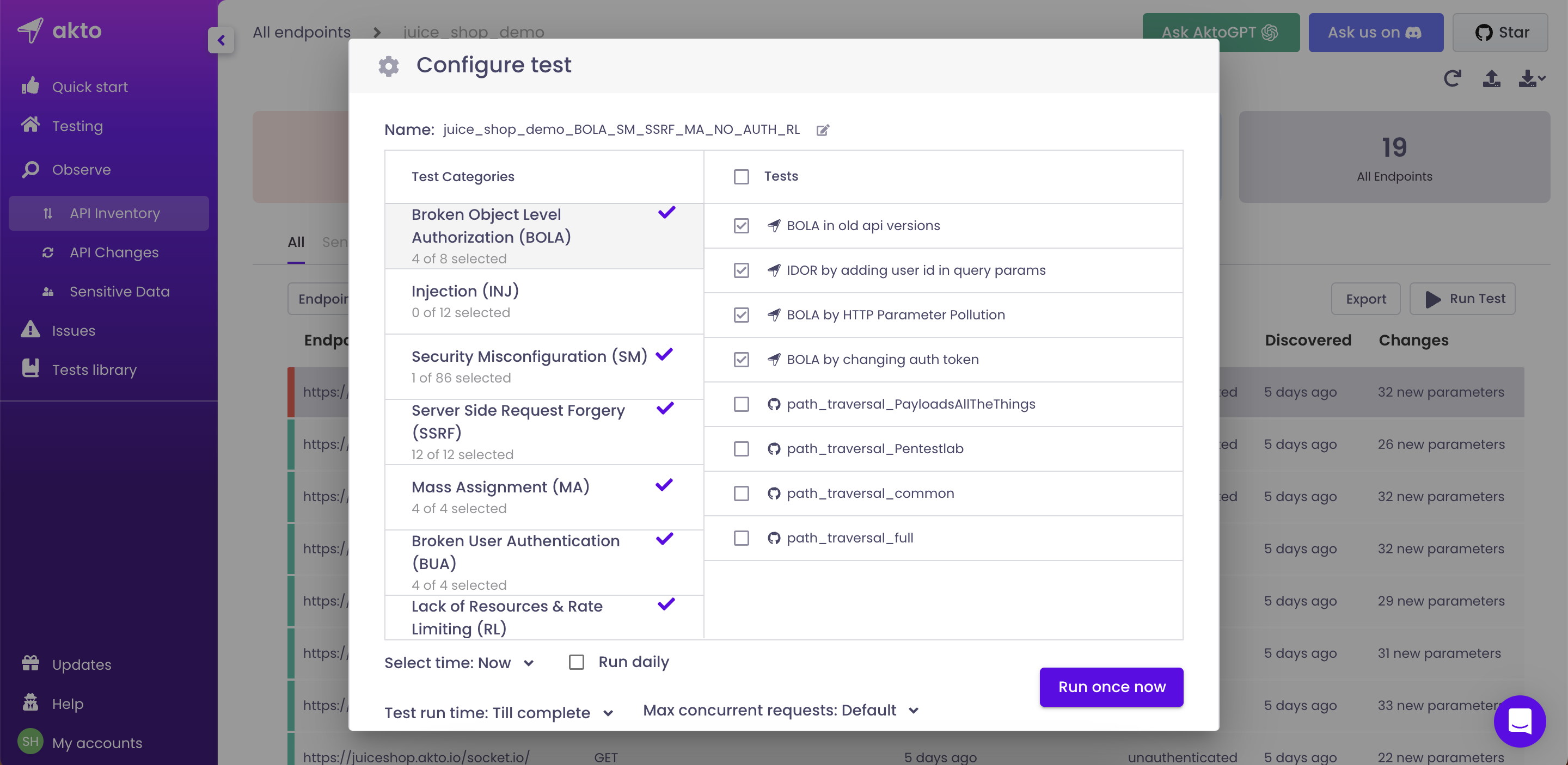
* Select the tests you want to run as part of CI/CD pipeline. Please keep `Select time = Now` and `Run daily` should be unchecked. Feel free to edit the `Name`, `Test run time` and `Max concurrent requests`.
* Click on `Run once now` (if the button name says anything else, read the previous point 🙄)
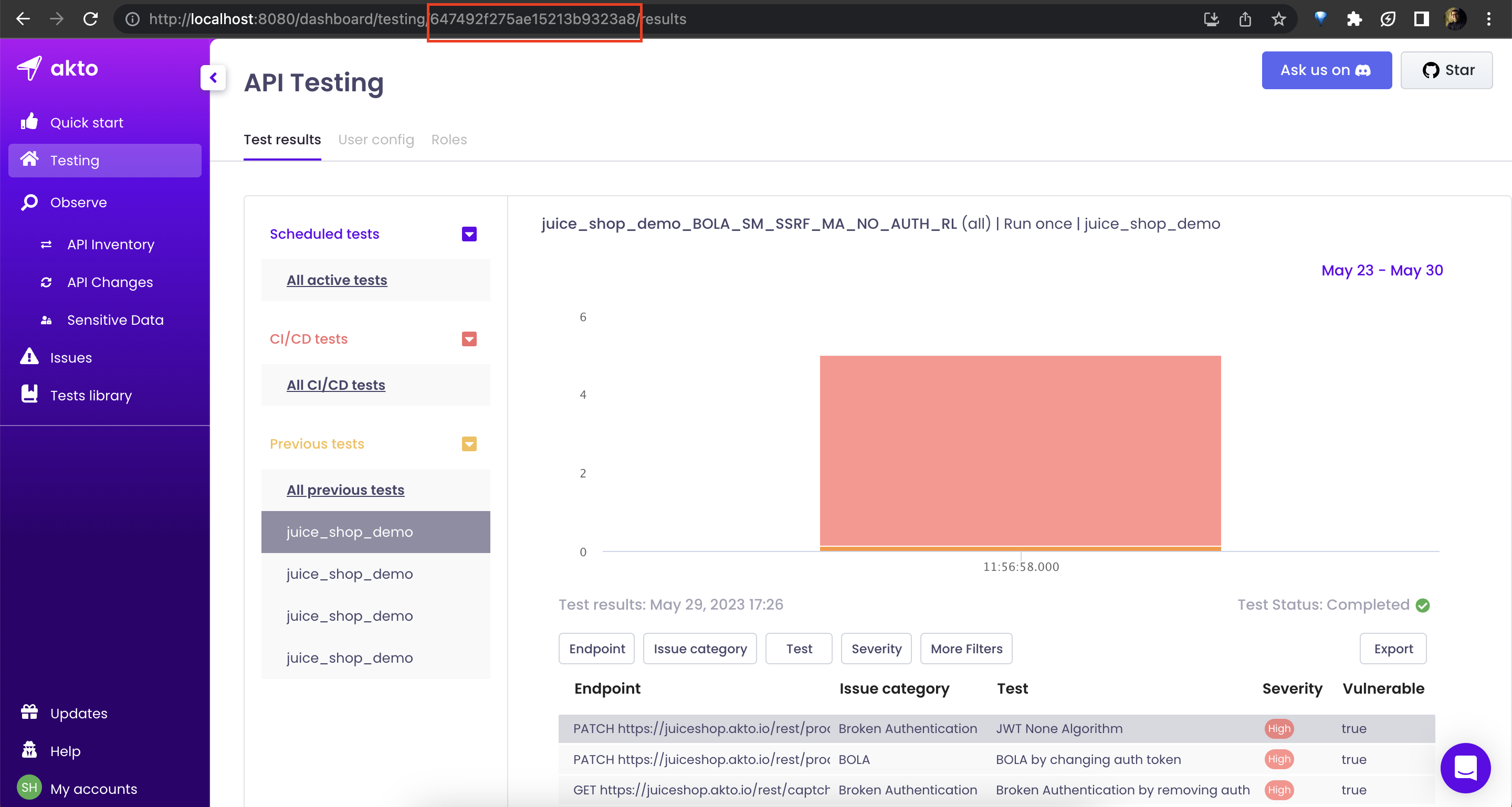
* Observe the `Test ID` on the testing page for the test you just created.
### GitHub Actions
* You can also use our plugin for Github Actions directly too:
```
- name: Run CI/CD tests
uses: akto-api-security/run-scan@v1.0.3
with:
AKTO_DASHBOARD_URL: ${{vars.AKTO_DASHBOARD_URL}}
AKTO_API_KEY: ${{vars.AKTO_API_KEY}}
AKTO_TEST_ID: ${{vars.AKTO_TEST_ID}}
START_TIME_DELAY: 180 # Delay in seconds after which testing run is started, optional, default is 0
```
### Post deployment hook (works with any CI/CD platform)
To run add the following docker command to your CI/CD pipeline
```bash
docker run \
-e AKTO_DASHBOARD_URL='https://app.akto.io' \
-e AKTO_API_KEY='' \
-e AKTO_TEST_ID='' \
-e GITHUB_SERVER_URL="" \
-e GITHUB_REPOSITORY="" \
-e GITHUB_REF_NAME="" \
-e GITHUB_REF="" \
-e GITHUB_SHA="" \
-e WAIT_TIME_FOR_RESULT=0 \
-e CICD_PLATFORM="" \
aktosecurity/akto-testing-scan:latest
```
In case you face an issue with the spaces in the command...
```bash
docker run -e AKTO_DASHBOARD_URL='https://app.akto.io' -e AKTO_API_KEY='' -e AKTO_TEST_ID='' -e GITHUB_SERVER_URL="" -e GITHUB_REPOSITORY="" -e GITHUB_REF_NAME="" -e GITHUB_REF="" -e GITHUB_SHA="" -e WAIT_TIME_FOR_RESULT=0 -e CICD_PLATFORM="" aktosecurity/akto-testing-scan:latest
```
To run a test suite on an API collection instead of a test you created in the dashboard, replace `AKTO_TEST_ID` with `API_GROUP_NAME` and `TEST_SUITE_NAME`:
```bash
docker run \
-e AKTO_DASHBOARD_URL='https://app.akto.io' \
-e AKTO_API_KEY='' \
-e API_GROUP_NAME='' \
-e TEST_SUITE_NAME='' \
-e GITHUB_SERVER_URL="" \
-e GITHUB_REPOSITORY="" \
-e GITHUB_REF_NAME="" \
-e GITHUB_REF="" \
-e GITHUB_SHA="" \
-e WAIT_TIME_FOR_RESULT=0 \
-e CICD_PLATFORM="" \
aktosecurity/akto-testing-scan:latest
```
Both must match the names in the dashboard exactly, and the test suite must already exist under `Testing > Test suites`. Collections created from an OpenAPI file are named `OpenAPI `.
* If you have hosted Akto in your VPC, please ensure the CI/CD machine can reach Akto's dashboard. You might have to change Security rules on Akto-Load-Balancer accordingly.