> For the complete documentation index, see [llms.txt](https://docs.akto.io/llms.txt). Markdown versions of documentation pages are available by appending `.md` to page URLs; this page is available as [Markdown](https://docs.akto.io/api-protection/how-to/take-actions-on-threats.md).
# Take Actions on Threats
## Overview
Akto enables you to quickly respond to malicious behavior by blocking the IP addresses of threat actors. When you block an IP address, Akto prevents all incoming requests from that source, helping you protect your APIs in real time.
You can block an IP address from two areas within API Threat Detection: **Threat Actors** and **Threat Activity**.
## 1. Block an IP from Threat Actors
{% stepper %}
{% step %}
Go to **Threat Actors** under **API Threat Detection**.
{% endstep %}
{% step %}
Select the threat actor whose activity you want to stop.
{% endstep %}
{% step %}
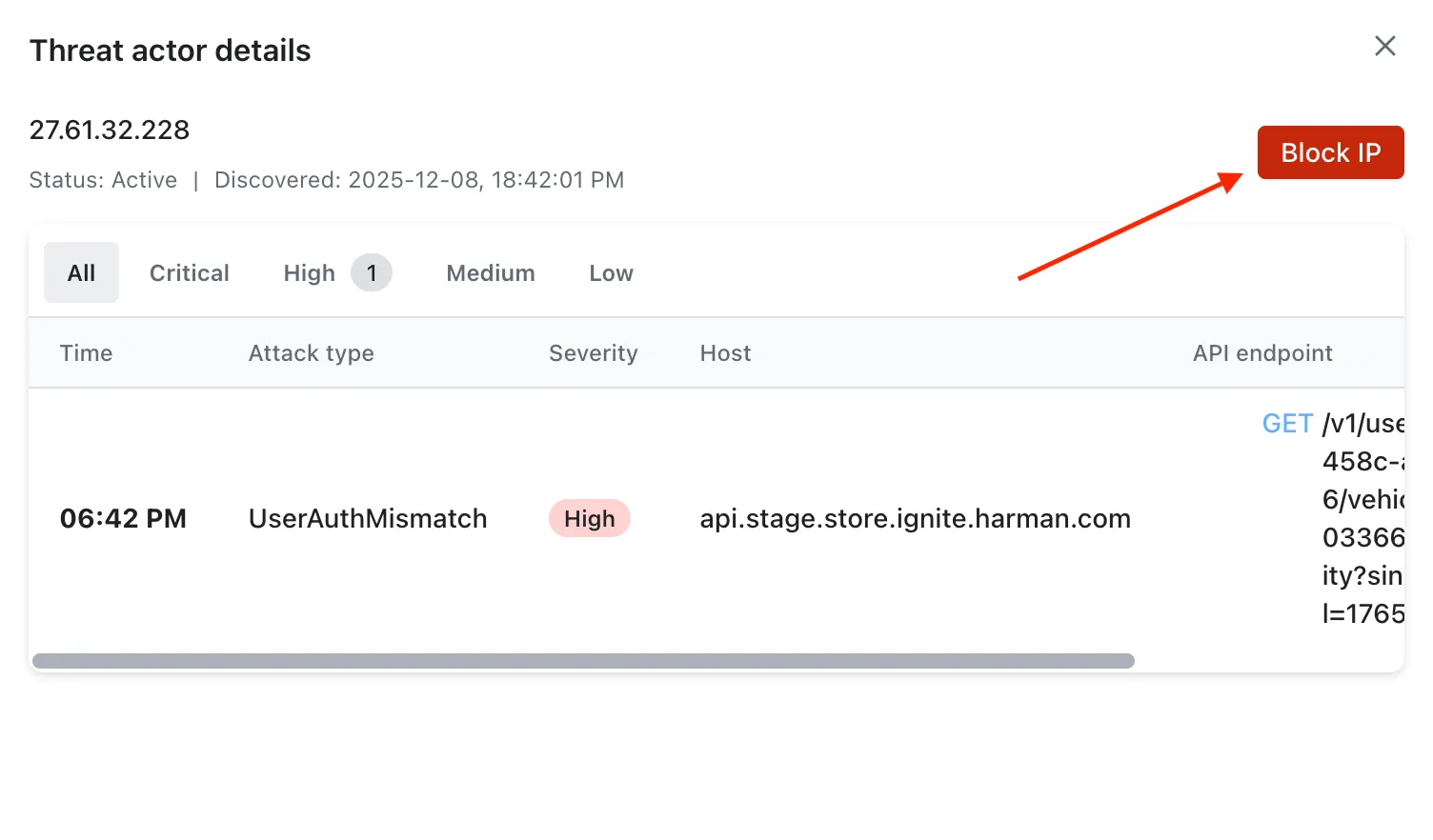
The detailed view for that actor opens.
{% endstep %}
{% step %}
In the top-right corner, select **Block IP**.
{% endstep %}
{% step %}
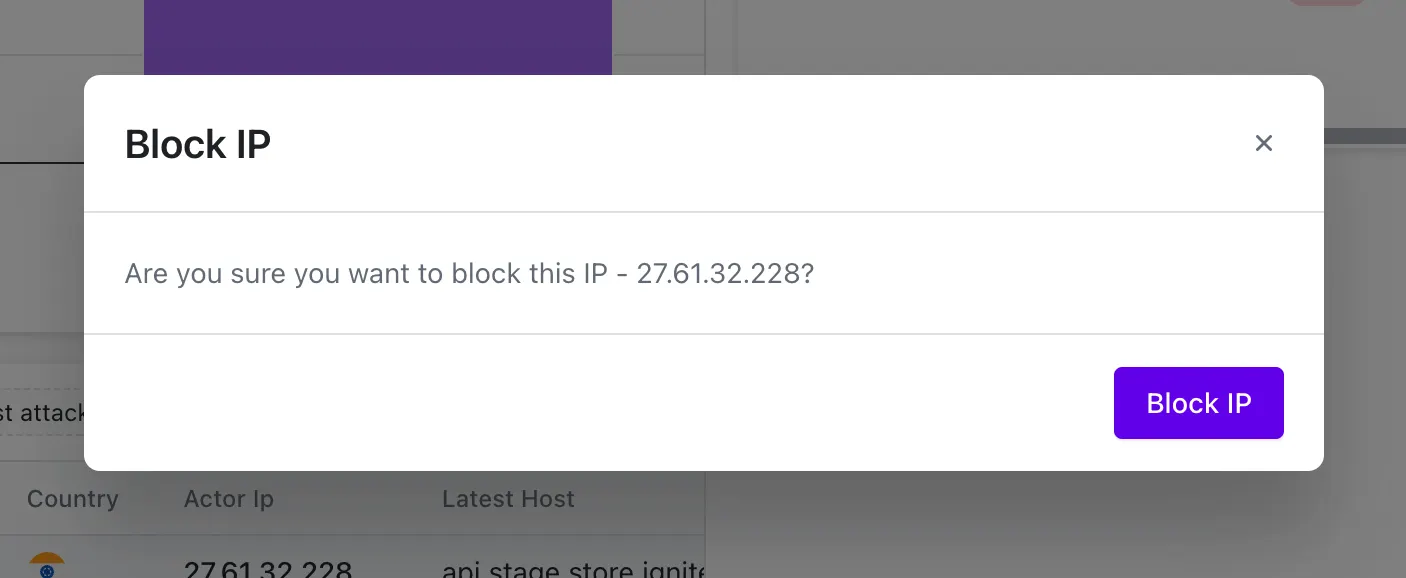
Confirm your action by selecting **Block IP** in the confirmation dialog.
{% endstep %}
{% endstepper %}
## 2. Block an IP from Threat Activity
{% stepper %}
{% step %}
Go to **API Threat Detection** →**Threat Activity**.
{% endstep %}
{% step %}
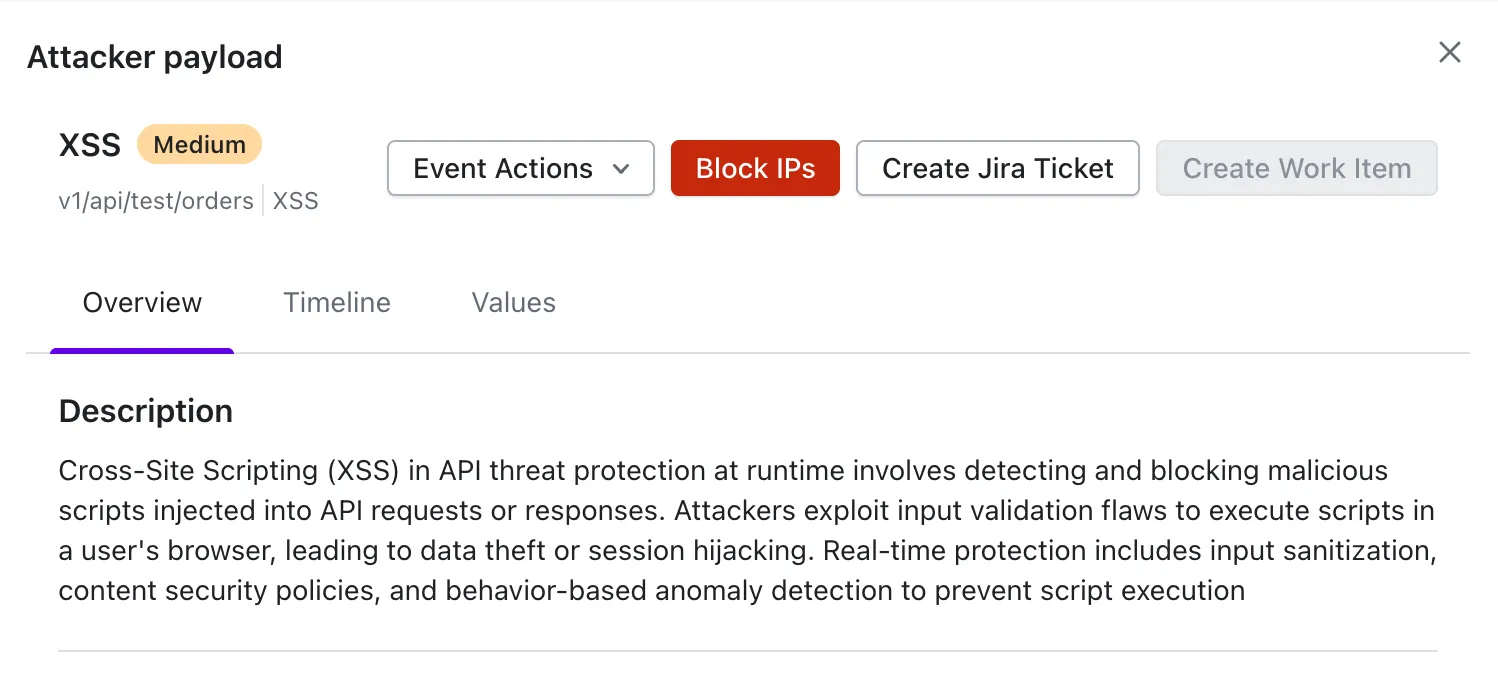
Open the detailed view for the specific threat activity you want to address.
{% endstep %}
{% step %}
Select the **Block IPs** button on the right-hand side.
{% endstep %}
{% step %}
A confirmation dialog opens.
{% endstep %}
{% step %}
Select **Save** to block the IP address.
{% endstep %}
{% endstepper %}
{% hint style="info" %}
### Important Note
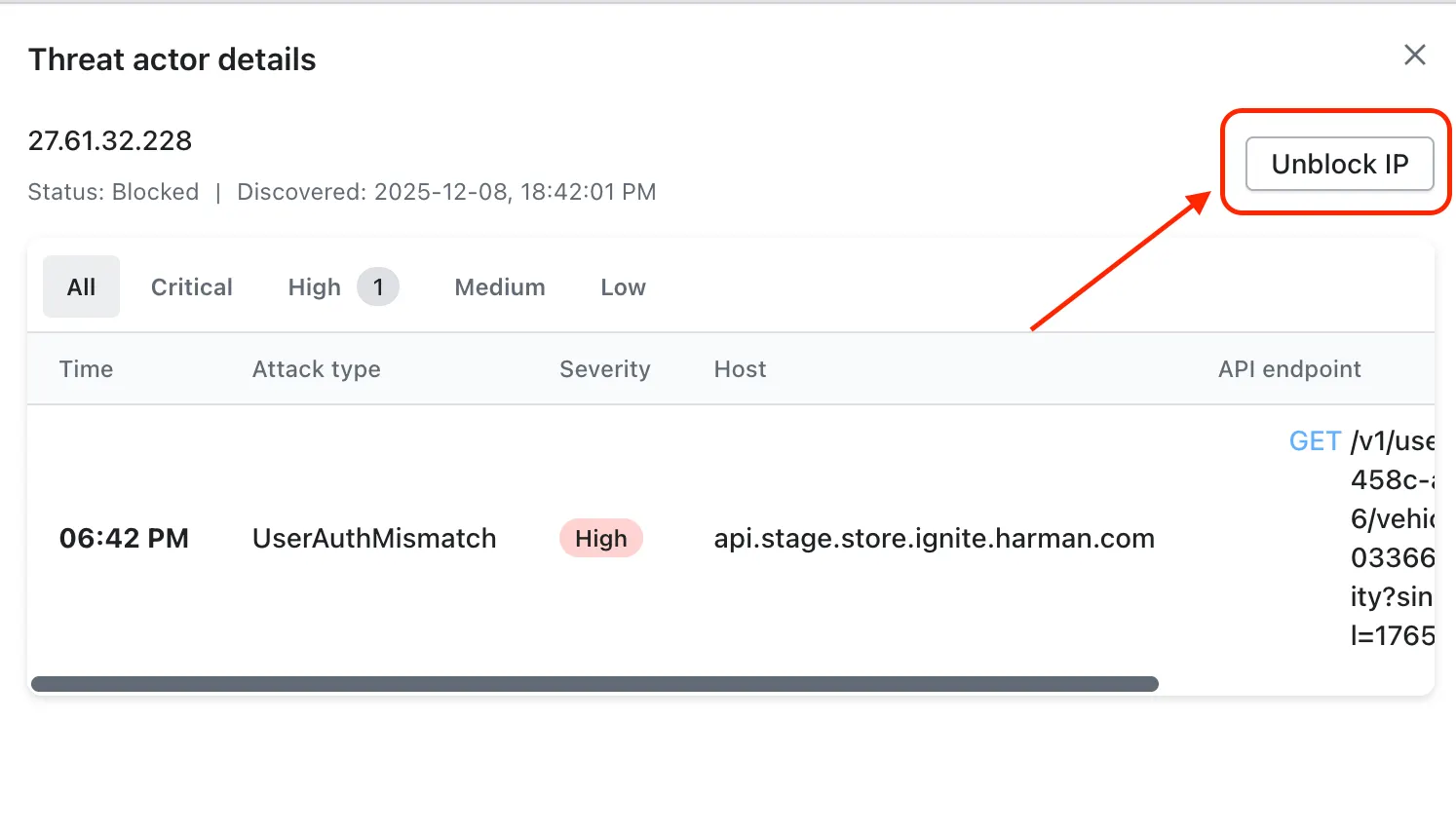
Blocking an IP address is completely reversible. Once you block an IP, the **Block IP** button changes to **Unblock IP**, allowing you to restore access whenever needed.
{% endhint %}
 {% endhint %}