> For the complete documentation index, see [llms.txt](https://docs.akto.io/llms.txt). Markdown versions of documentation pages are available by appending `.md` to page URLs; this page is available as [Markdown](https://docs.akto.io/api-protection/how-to/export-visualisation-and-report.md).
# Export Visualisation and Report
## **Overview**
Akto supports export of visualisations and reports from the API Threat Detection dashboards. Download charts, metrics, and threat activity records for audits, reporting, or internal analysis.
## Download Visualisation
You can download any visualisation directly from the dashboard.
{% stepper %}
{% step %}
Open the dashboard and navigate to the visualisation you want to download.
{% endstep %}
{% step %}
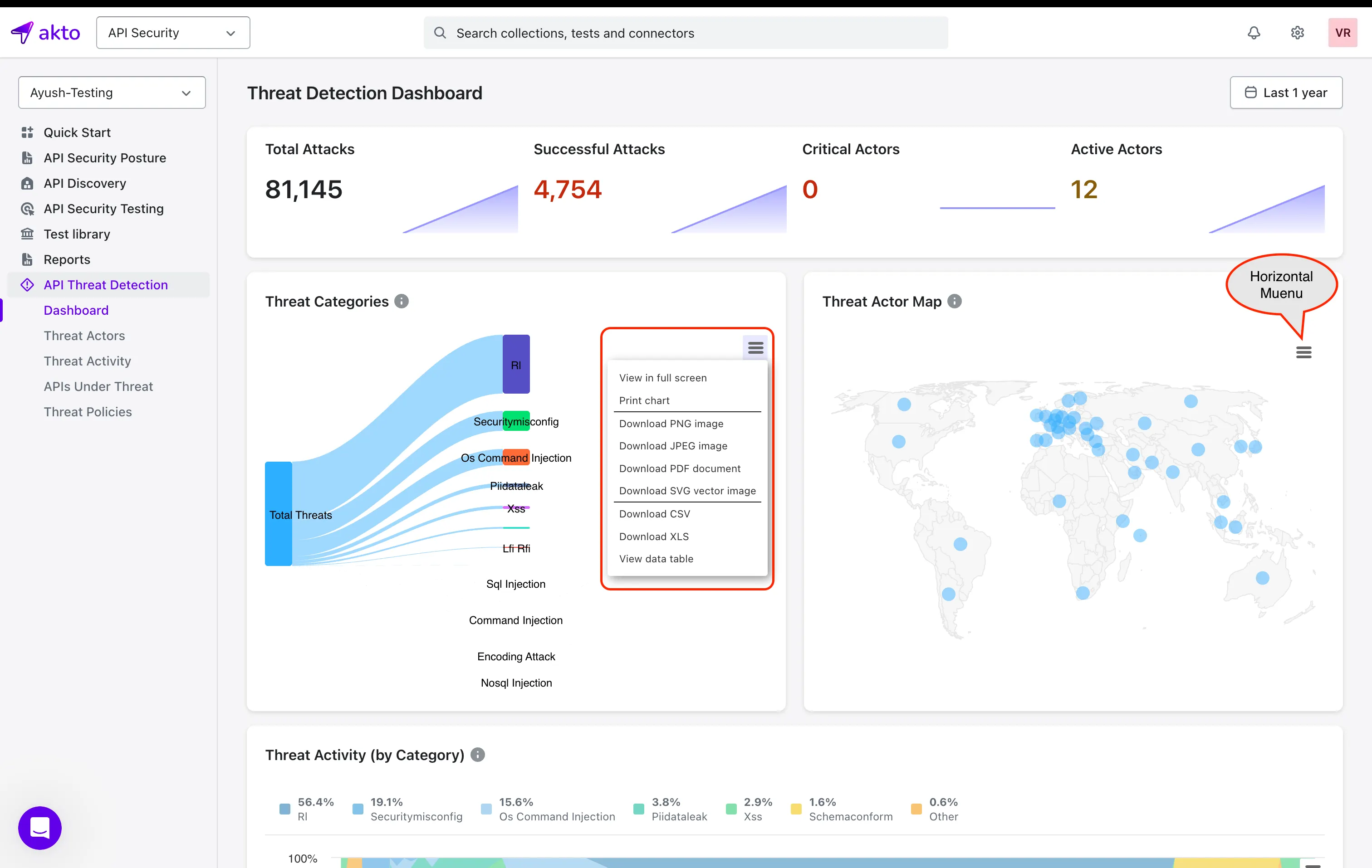
In the top-right corner of the visualisation, click the three-bar horizontal menu.
{% endstep %}
{% step %}
Choose the export format based on your requirement. Akto supports:
* **PNG Image**
* **JPEG Image**
* **PDF Document**
* **SVG Vector Image**
* **CSV File**
* **XLS File**
{% endstep %}
{% endstepper %}
Each format allows you to save the selected visualisation exactly as displayed on the dashboard.
## Export Threat Activity Data
Export the complete threat activity dataset from the Threat Activity page.
{% stepper %}
{% step %}
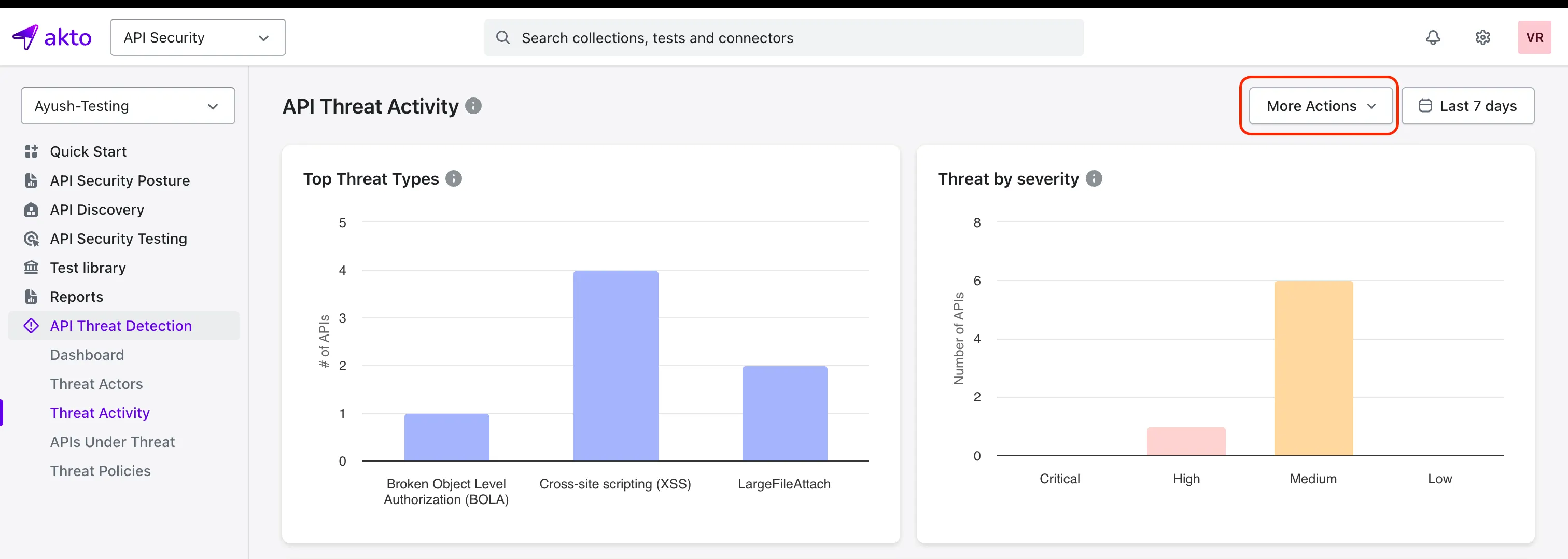
In the left sidebar, select API Threat Detection and open the Threat Activity page.
{% endstep %}
{% step %}
In the top-right corner, click More Actions.
{% endstep %}
{% step %}
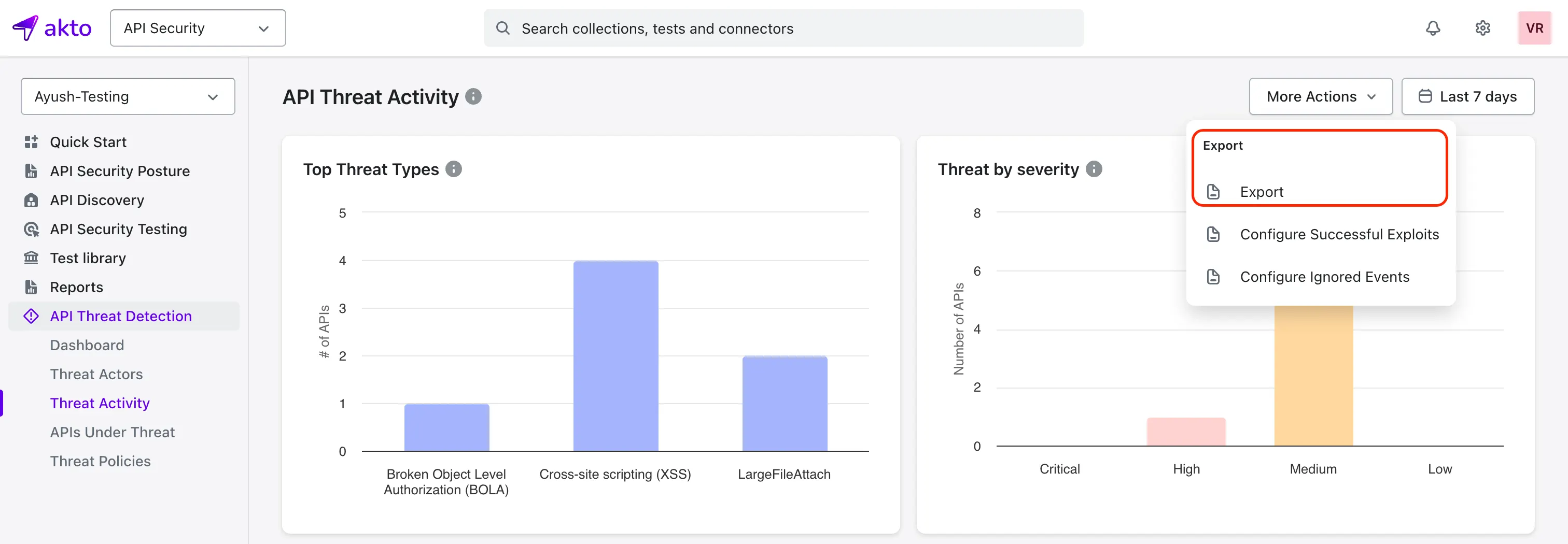
Select Export.
{% endstep %}
{% step %}
Akto will download a JSON file containing all threat activity records.
{% endstep %}
{% endstepper %}
The exported JSON file provides a full dataset that you can use for investigations, pattern analysis, or system integrations.