> For the complete documentation index, see [llms.txt](https://docs.akto.io/llms.txt). Markdown versions of documentation pages are available by appending `.md` to page URLs; this page is available as [Markdown](https://docs.akto.io/api-protection/how-to/export-activity-to-custom-webhook.md).
# Export Activity to Custom Webhook
## Overview
Akto allows you to forward API threat activity to an external system through a webhook endpoint. Webhook export enables integration with SIEM platforms, monitoring pipelines, or internal security automation workflows.
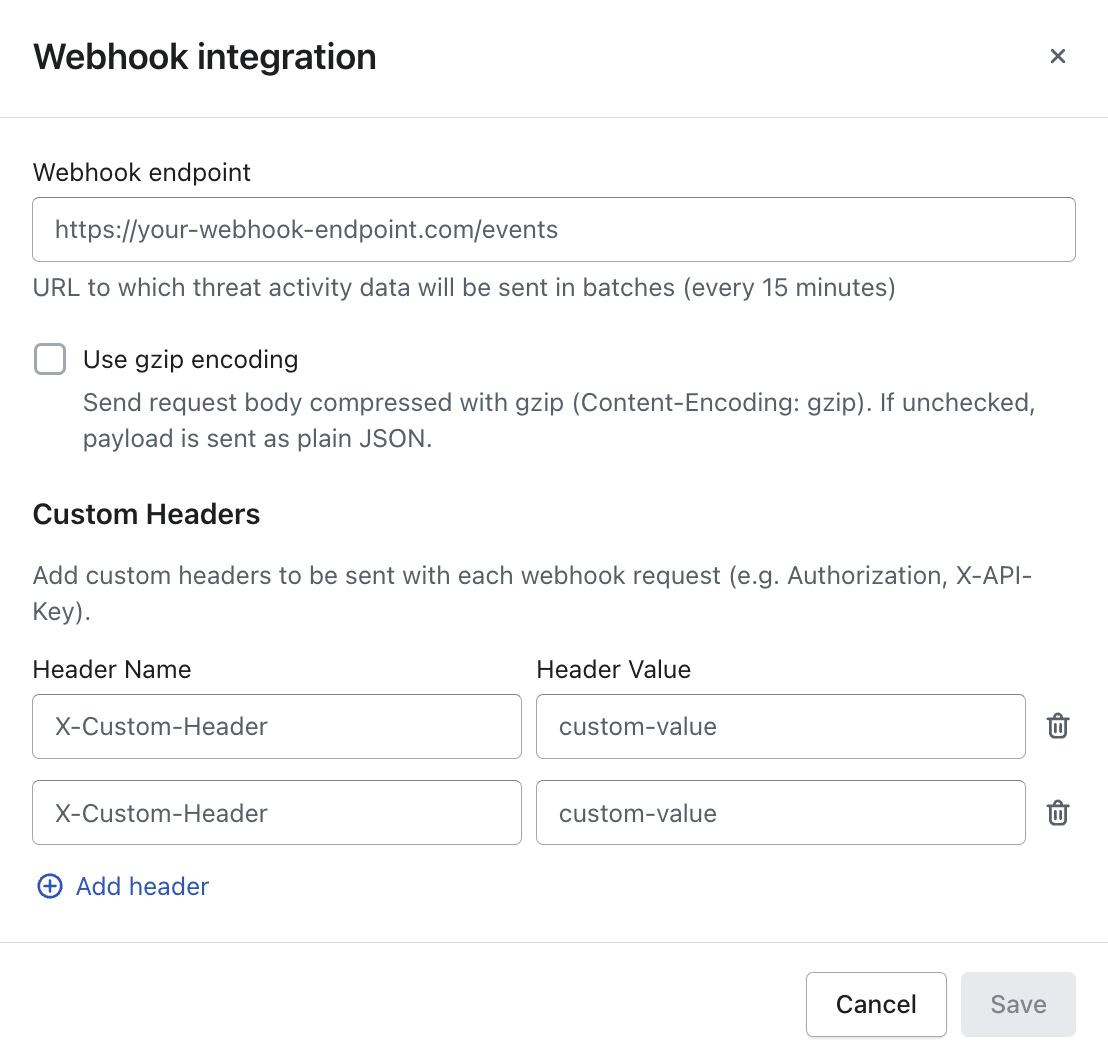
Akto sends threat activity events in batches every **15 minutes** to the configured webhook endpoint. Security teams can process the received payload for alerting, enrichment, or incident response workflows.
## Steps to Configure Webhook Export
{% stepper %}
{% step %}
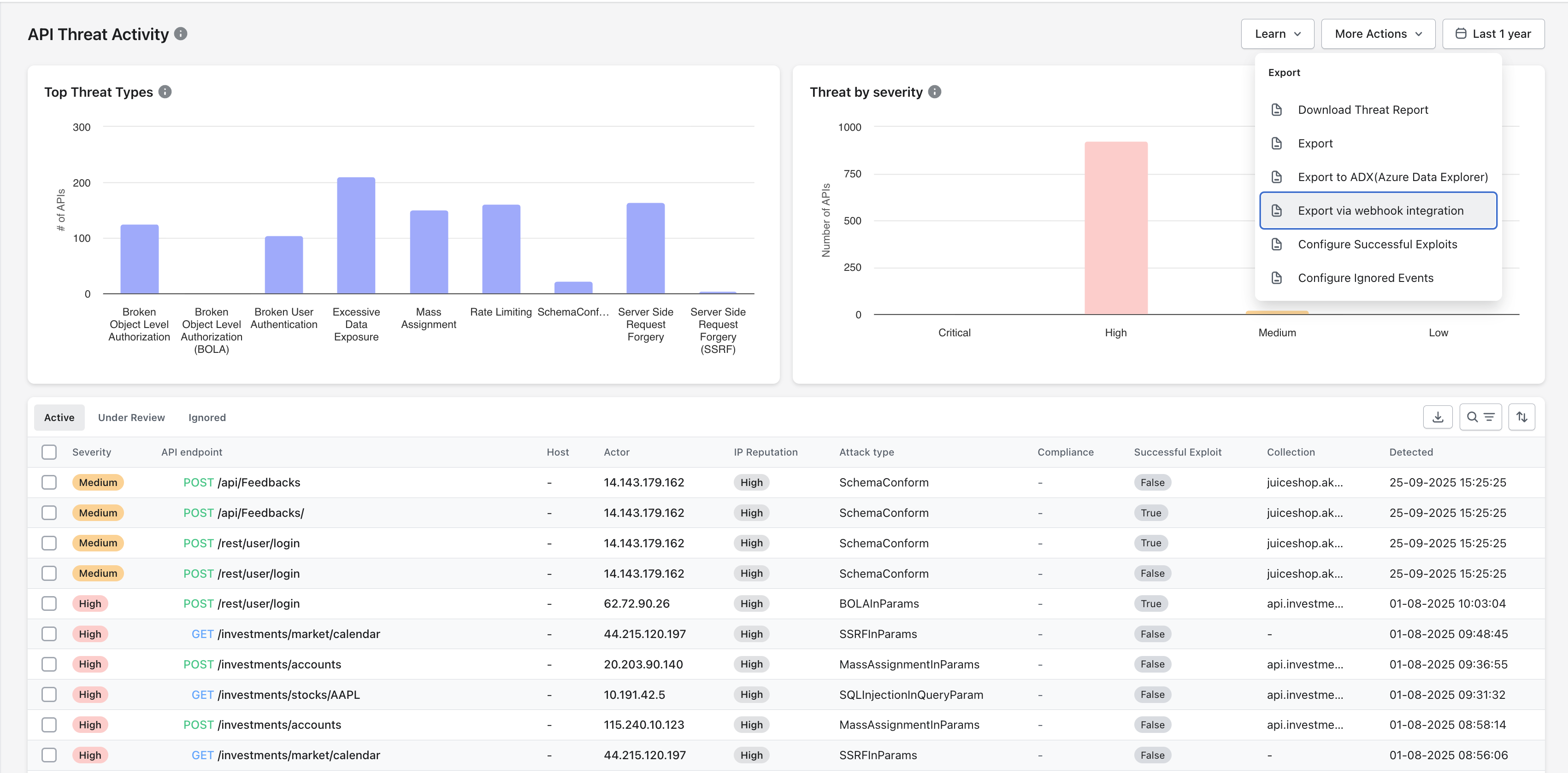
Navigate to **API Threat Activity** in the Akto dashboard.
{% endstep %}
{% step %}
Select **More Actions** in the top-right corner.
{% endstep %}
{% step %}
Select **Export via webhook integration**.
{% endstep %}
{% step %}
Enter the **Webhook endpoint URL** where the external system receives threat activity events.\
Example: `https://your-webhook-endpoint.com/events`
{% endstep %}
{% step %}
Enable **Use gzip encoding** when the receiving system expects compressed payloads with the header `Content-Encoding: gzip`.
{% hint style="info" %}
Leave the option disabled when the receiving system expects standard JSON payloads.
{% endhint %}
{% endstep %}
{% step %}
Add **Custom Headers** when the receiving service requires authentication or routing metadata.\
Common examples include `Authorization` headers or `X-API-Key` headers.
{% endstep %}
{% step %}
Select **Save** to activate webhook export.
{% endstep %}
{% endstepper %}
Akto begins sending threat activity data to the configured endpoint after configuration is saved.
## Result of Webhook Integration
Configured webhook integration allows security teams to stream API threat activity into external systems such as:
* SIEM platforms
* Security automation pipelines
* Incident response tooling
Webhook export ensures external monitoring platforms receive threat activity data without manual exports.