> For the complete documentation index, see [llms.txt](https://docs.akto.io/llms.txt). Markdown versions of documentation pages are available by appending `.md` to page URLs; this page is available as [Markdown](https://docs.akto.io/api-inventory/how-to/inspect-schema-of-an-api-collection.md).
# Inspect Schema of an API Collection
Learn how to inspect the OpenAPI schema of an API collection in Akto
## Overview
Akto allows you to inspect the generated OpenAPI schema for every discovered API collection. Schema inspection helps security and platform teams review endpoint structure, parameters, and response formats associated with the collection.
## Navigation Path to the API Schema View
You can access the schema view using the following navigation path:
{% stepper %}
{% step %}
Navigate to **API Discovery** in the Akto API Security dashboard.
{% endstep %}
{% step %}
Open **API Collections**.
{% endstep %}
{% step %}
Select the required **API collection**.
{% endstep %}
{% step %}
Open **More Actions** in the top-right corner.
{% endstep %}
{% step %}
Under **Switch View**, select **View Schema**.
{% endstep %}
{% endstepper %}
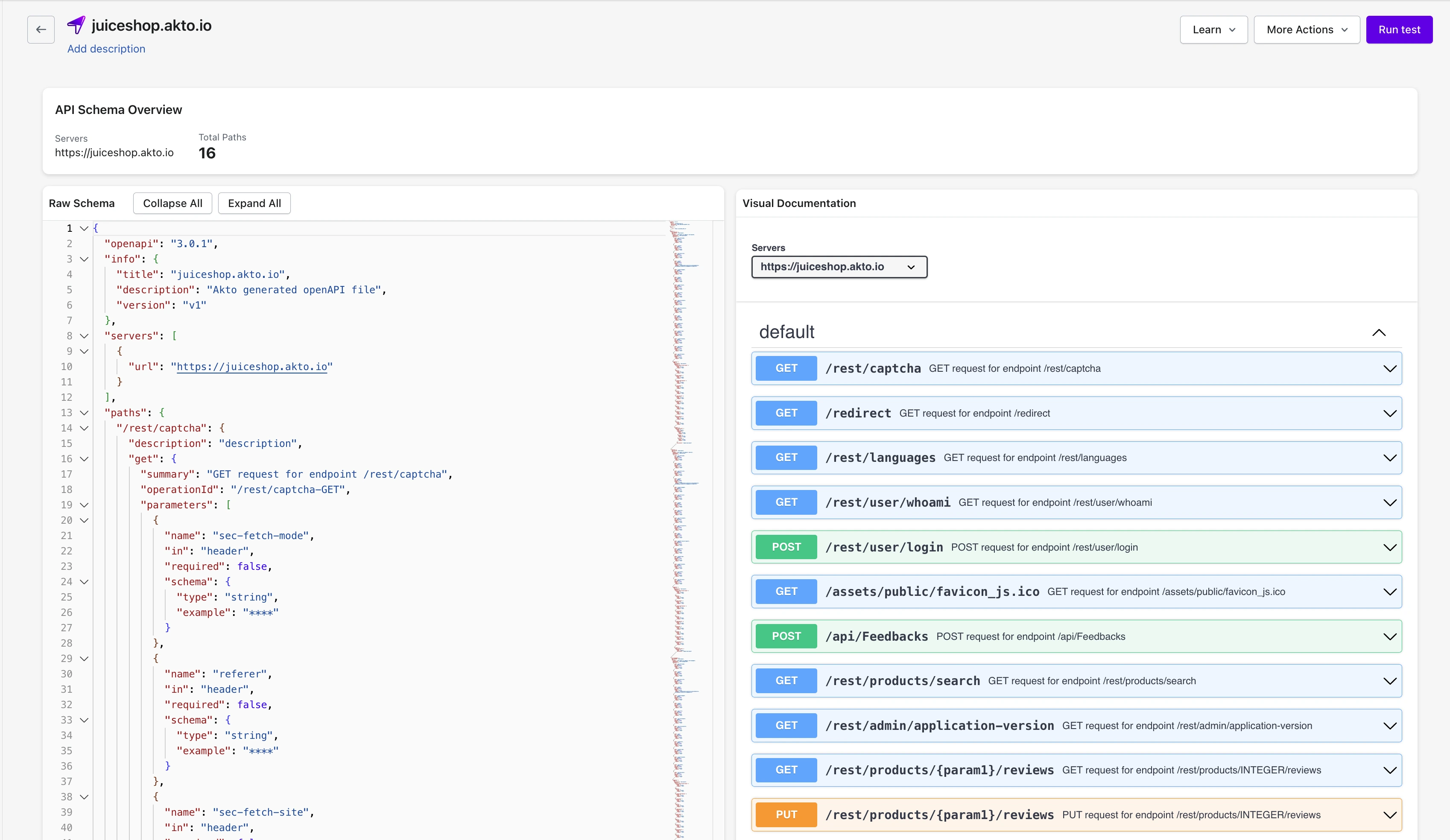
Akto opens the **API Schema Inspector** page for the selected collection.
## API Schema Inspector Interface
The API Schema Inspector page provides two synchronised views of the schema generated by Akto.
### Raw OpenAPI Schema Panel
On the left side, the **Raw Schema** panel displays the complete OpenAPI specification in JSON format.
You can use the raw schema panel to:
* Review the generated **OpenAPI version and metadata**
* Inspect **server definitions**
* Examine **endpoint paths and operations**
* Validate **request parameters and headers**
* Analyse **response definitions**
{% hint style="info" %}
The raw schema panel also provides controls to **expand or collapse sections**, which helps when reviewing large schemas.
{% endhint %}
### Visual Documentation Panel
On the right side, the **Visual Documentation** panel presents the same OpenAPI schema in a structured, interactive format.
The visual documentation panel allows you to:
* Browse **all discovered API endpoints**
* View supported **HTTP methods**
* Inspect **request parameters**
* Review **response schemas and example payloads**
* Examine **response headers and status codes**
Each endpoint expands to show detailed request and response specifications.
#### Inspect Request Parameters and Headers
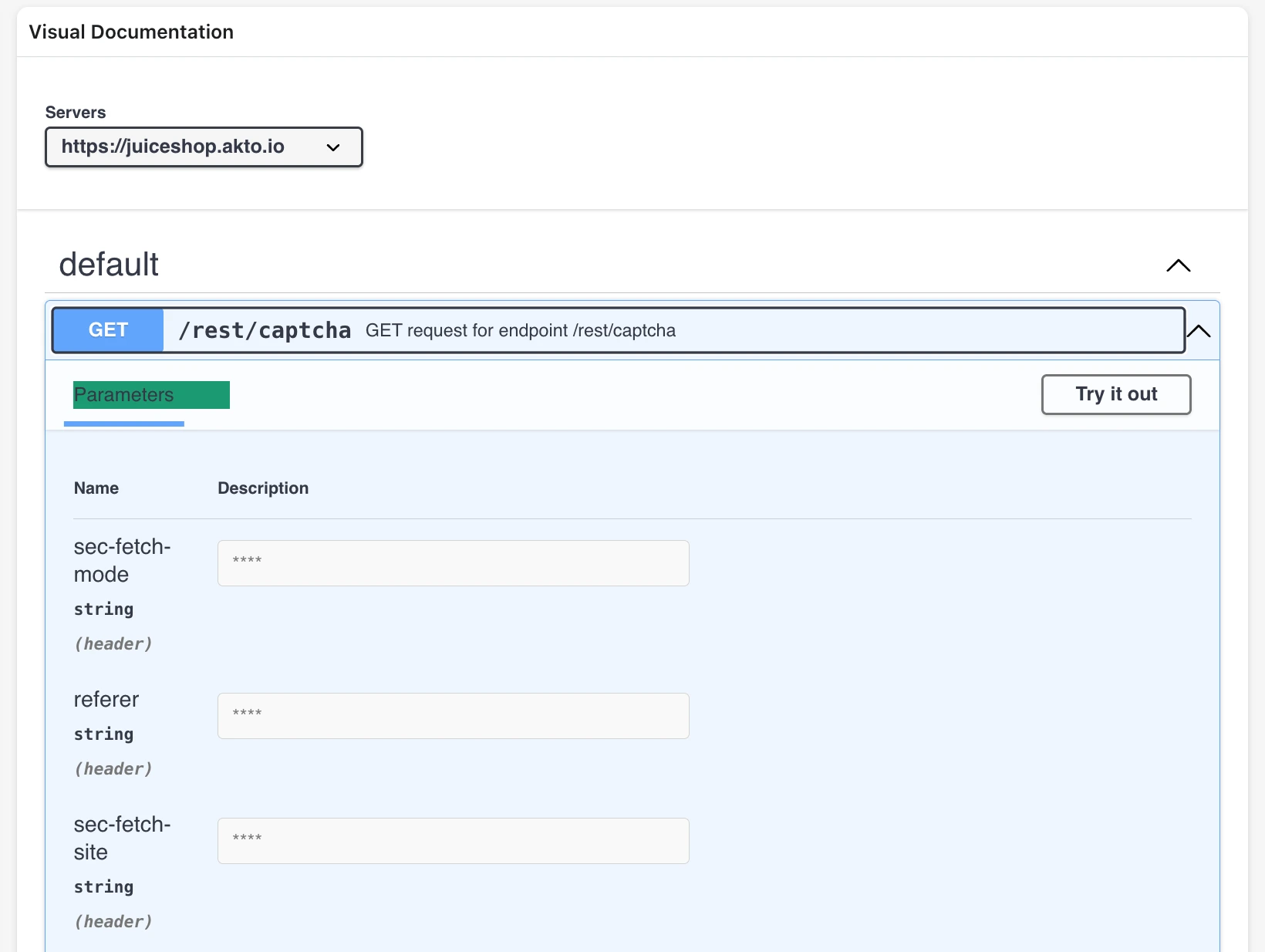
Selecting an endpoint in the visual documentation panel expands the request configuration.
The parameters section allows you to review:
* **Header parameters**
* **Query parameters**
* **Path parameters**
* **Parameter data types**
* **Example values**
Parameter visibility helps security teams verify how clients interact with the endpoint and what inputs the API expects.
#### Inspect Response Schema and Headers
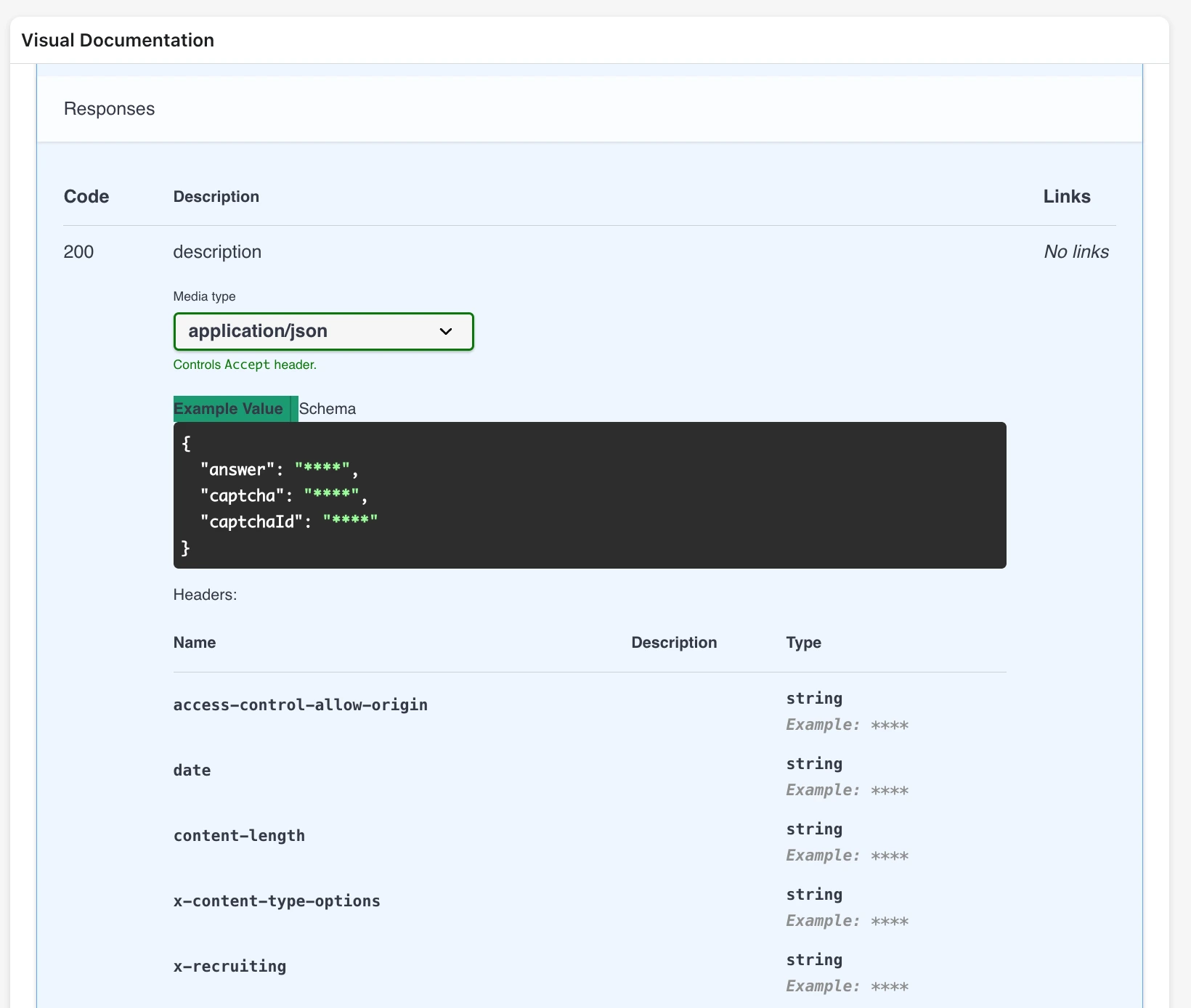
The response section provides the response specification generated from observed API traffic.
The response panel displays:
* **HTTP response codes**
* **Response media types**
* **Example response payload**
* **Response schema**
* **Response headers**
Response inspection helps security teams understand the structure of returned data and identify sensitive data exposure risks.
## Result of API Schema Inspection
API schema inspection allows enterprise security teams to:
* Validate the API surface discovered by Akto
* Understand request and response structures
* Verify parameters accepted by each endpoint
* Analyze API behavior before running security tests
Schema visibility provides a structured representation of the API collection that supports security review and testing workflows.