> For the complete documentation index, see [llms.txt](https://docs.akto.io/llms.txt). Markdown versions of documentation pages are available by appending `.md` to page URLs; this page is available as [Markdown](https://docs.akto.io/account-management/custom-roles.md).
# Custom roles
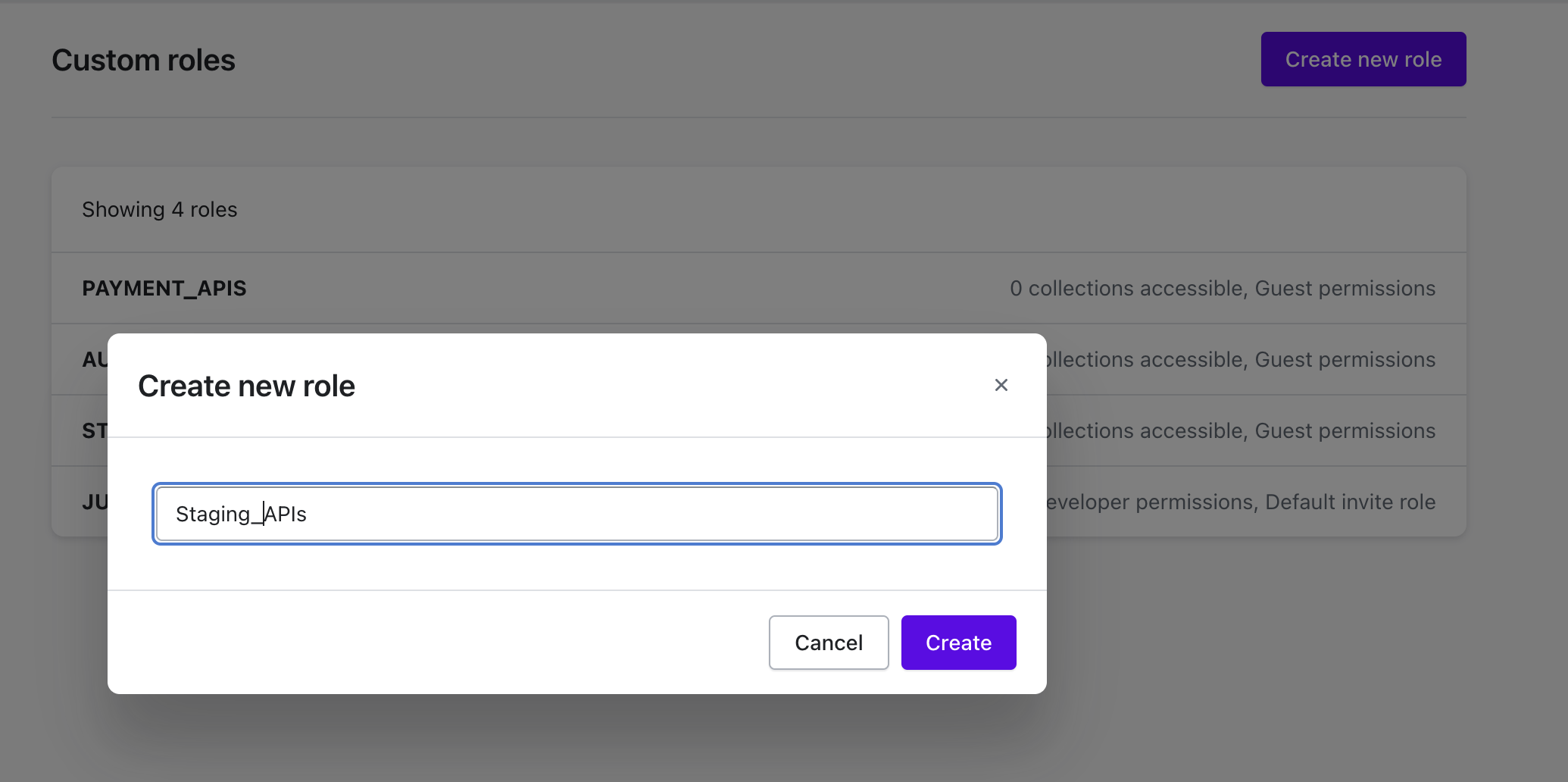
You can now include specific collections when managing a role. Follow the steps below to create a new role and control what collections it has access to.
#### Create a new Role
1. Go to **Settings** > **Roles**
2. Click on `Create new role` button
#### Modify access for a custom role
{% @arcade/embed url="" flowId="z4rfS2zV48Mr4D3pxmwn" %}
#### **1. Change the Role Settings**
1. Go to your **Settings > Roles.**
2. Find and click the role you want to update (e.g., **JUICE\_SHOP\_APIS**).
3. Search and select the list of API Collections you want to include in the role.
#### **2. Assign a Permission Level (Optional)**
1. Use the dropdown next to **Guest** (or the default permission) to choose the appropriate permission level.
2. This controls what actions role members can perform on the selected collections.
#### **3. (Optional) Set as Default Invite Role**
* If you want any new users invited under this role to automatically have these permissions, check the **Default invite role** option.
***
#### **Best Practices & Tips**
* **Review Permissions**: Before finalizing, confirm that the permission level is correct for each collection to avoid granting excessive access.
* **Name Roles Clearly**: If you manage multiple roles, use a clear naming convention (e.g., **API-Only**, **View-Only**, etc.) to distinguish them easily.
* **Default Role**: Be cautious when setting a default invite role—any newly invited user will automatically inherit those permissions.
This new feature streamlines role management by allowing you to pick exactly which collections each role can access.
If you have any questions or encounter issues, don’t hesitate to contact our support team.